
CriStudio is the desktop interface for inspecting, previewing, extracting, editing, and building CRI middleware files. It is powered by CriCodecs, a modern C++23 codec and container library with a standalone CLI and Python bindings built with nanobind.
Most users should download CriStudio. The CLI, Python package, and C++ SDK are available for automation, scripting, and application integration.
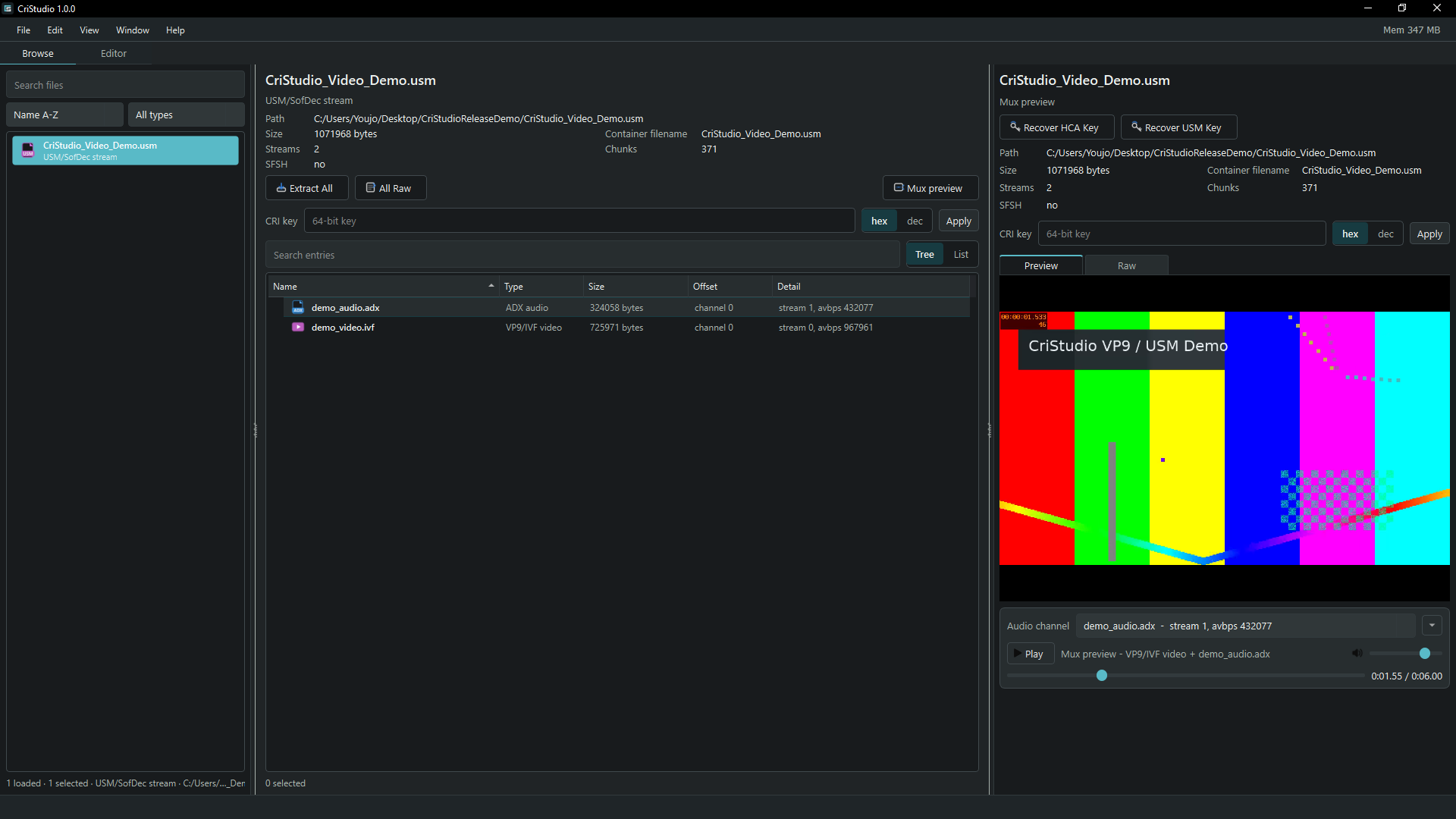
Inspect and play muxed VP9 and ADX streams directly from a USM container.
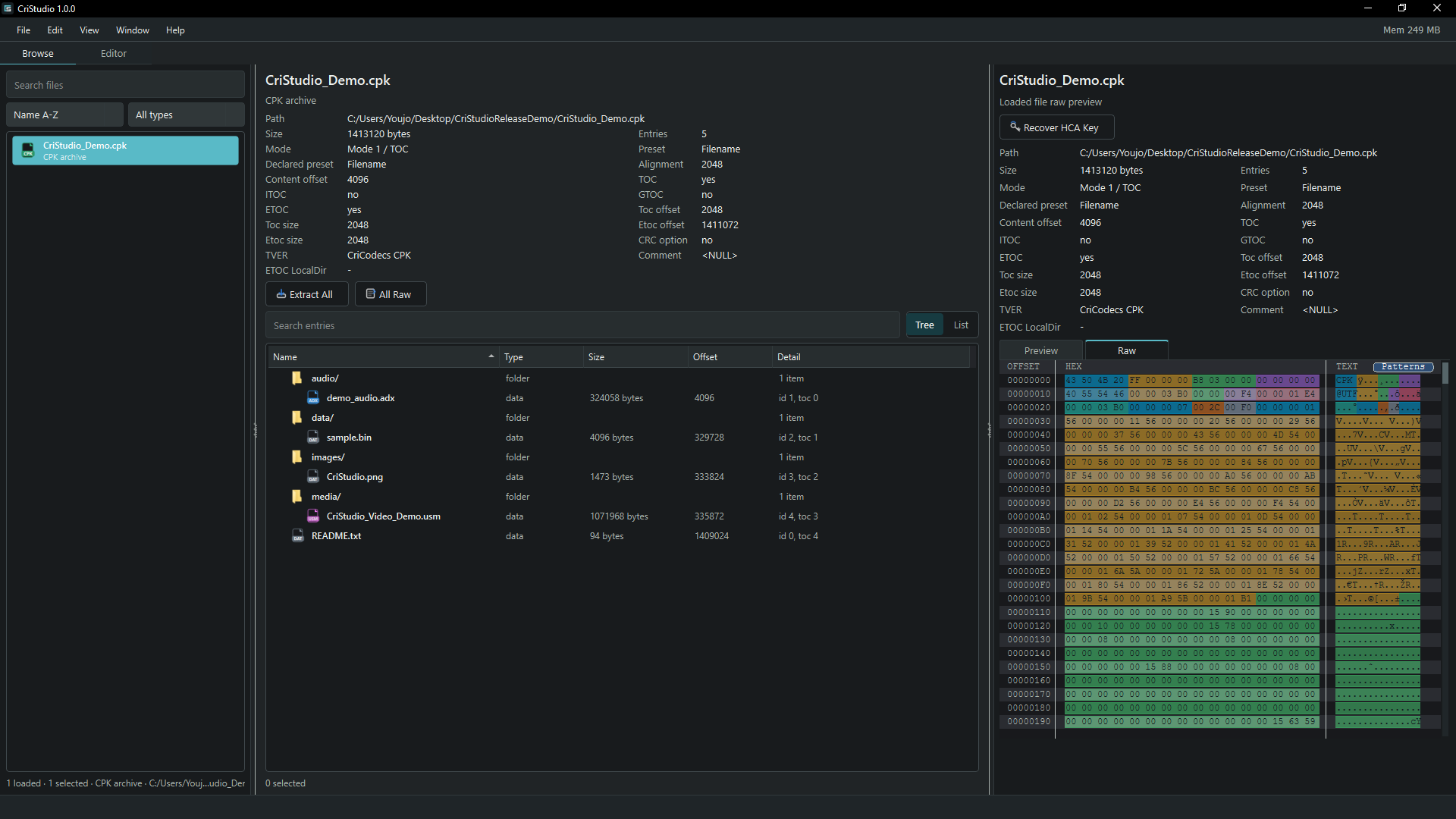
Browse nested CPK entries and inspect structured binary data without extracting it first.
The latest GitHub release provides platform-specific downloads:
| Download | Intended use |
|---|---|
| CriStudio portable | Recommended. Extract and run; Qt and FFmpeg are included. |
| CriStudio slim | Smaller advanced-user build; requires compatible Qt and FFmpeg on the system. |
| CriCodecs CLI | Optimized command-line executable for scripts and batch work. |
| C++ SDK | Headers, CMake package metadata, and static/shared libraries. |
| Python wheels | Install from PyPI with python -m pip install cricodecs. |
Portable CriStudio is non-installer software. Windows packages expose only
CriStudio.exe and an _internal runtime directory; Linux uses an AppImage;
macOS uses a self-contained application bundle.
CriStudio provides two complementary workspaces:
- Browse loads files and archives, searches nested entries, previews audio, video, images, tables, and raw bytes, and extracts selected content.
- Editor exposes format-aware inspection and mutation tools, archive entry management, build workflows, media muxing, encryption controls, and local key handling without changing the global CRI key implicitly.
Key recovery is available for supported HCA, ADX, AHX, USM, AWB, and ACB inputs. Multi-file recovery runs in the background and ranks a bounded set of candidates rather than blocking the interface.
| Area | Formats |
|---|---|
| Audio and audio containers | ADX, AHX, HCA, WAV/PCM, AAX, AIX |
| Sound banks and tables | ACB, AWB, ACX, CSB, UTF |
| Archives and disc containers | AFS, CPK, CVM/ROFS |
| Video and stream containers | USM, SFD/SofDec |
Available operations differ by format. CriStudio only exposes editing, encoding, muxing, or key-recovery actions where the corresponding native API supports them.
Detailed CLI, Python, and C++ examples are in USAGE.md.
- CMake 4.2 or newer
- A recent C++23 compiler
- GCC 16.1 or newer on Linux
- Visual Studio 2026 / MSVC v145 or newer on Windows
- A current Apple Clang/Xcode toolchain on macOS
- Python 3.9 or newer for Python bindings
Use a fresh build directory for each generator and compiler. If you change compilers, generators, Python versions, or CMake versions, delete the old build directory first.
From the repository root:
python -m pip install .For verbose build logs:
python -m pip install -v .For local development with an already prepared build environment:
python -m pip install --no-build-isolation -ve .Download a wheel matching your Python version, operating system, and CPU architecture, then install it directly:
python -m pip install cricodecs-1.1.0-*.whlBuild and install the optimized static C++ library:
cmake -S . -B build -G Ninja \
  -DCMAKE_BUILD_TYPE=Release \
  -DCRICODECS_BUILD_TESTS=OFF \
  -DCRICODECS_BUILD_CLI=OFF \
  -DCRICODECS_INSTALL_CPP=ON
cmake --build build --parallel 4
cmake --install build --prefix ./install
Set -DBUILD_SHARED_LIBS=ON to build and install the shared-library variant.
Both variants install the same headers and CMake package metadata.
Consume an installed package with:
find_package(CriCodecs CONFIG REQUIRED)
target_link_libraries(my_app PRIVATE CriCodecs::CriCodecs)
Build the C++ library and Python bindings with CMake:
cmake -S . -B build-python -G Ninja -DCMAKE_BUILD_TYPE=Release -DCRICODECS_BUILD_PYTHON=ON
cmake --build build-python --parallel 4
On Windows with Visual Studio 2026:
cmake -S . -B build-vs -G "Visual Studio 18 2026" -A x64 -DCRICODECS_BUILD_PYTHON=OFF
cmake --build build-vs --config Release --parallel 4
If the Visual Studio generator is missing, update CMake first and run
cmake -G to list the generators available on your machine.
Release builds provide a standalone cricodecs executable. Python installs also
provide a cricodecs console command backed by the same native implementation.
Common usage is input-driven:
cricodecs input.hca
cricodecs input.cpk
Audio inputs such as ADX, AHX, HCA, and AAX decode to WAV by default. Archive
and container inputs extract to a sibling directory by default. Use -m for
metadata, -m --json for JSON metadata, -f to force the input format, and
-o to choose the output path or extraction root.
Recover the effective low-56 key used by HCA cipher type 56 with one or more HCA files, directly from AWB/ACB/USM containers, or recursively from folders:
cricodecs --recover-key -f hca music.hca
cricodecs --recover-key -f hca cue_01.hca cue_02.hca --json
cricodecs --recover-key -f hca music.awb
cricodecs --recover-key -f hca music.acb
cricodecs --recover-key -f hca movie.usm
cricodecs --recover-key -f hca audio_folder
Multiple inputs are assumed to use the same effective table and compatible HCA frame grammar. Folder scans ignore unrelated files and pool every cipher-56 HCA found in HCA, AWB, ACB, or USM inputs. Every matching audio channel in a multi-audio USM is included. Recovery always returns the best guess and its validation score; a low score is not treated as a command failure.
Recover the effective low-56 USM stream-mask key with -f usm:
cricodecs --recover-key -f usm movie.usm
cricodecs --recover-key -f usm movie_folder --json
Each USM is recovered independently because separate containers may use different keys. Recovery can use video, encrypted HCA, or USM-masked ADX evidence. Text and JSON results include the input path, key, score, sampled video blocks, and contributing video/ADX chunk counts. Recovery reports the candidate without applying it or rewriting the container.
Recover standalone ADX or AHX encryption triplets with their explicit format domains:
cricodecs --recover-key -f adx music.adx
cricodecs --recover-key -f adx same_key_adx_folder --json
cricodecs --recover-key -f ahx voice_a.ahx voice_b.ahx
Multiple ADX or AHX inputs are pooled under the contract that they use the same
encryption type and effective triplet. Results include the directly usable
start,mult,add triplet, structural score, and frame evidence. AHX output also
keeps per-component candidate counts visible because sparse files can leave one
component ambiguous.
-f adx targets ADX's own header-declared type-8/type-9 frame encryption.
ADX carried inside a USM can additionally have the separate USM repeating
audio mask; -f usm evaluates that audio-mask evidence together with SFV video
and embedded HCA evidence.
Recover CRI's effective low-52 AAC key from encrypted M4A waveforms in an AWB or its ACB cue sheet with an explicit container domain:
cricodecs --recover-key -f awb BGM.awb
cricodecs --recover-key -f acb BGM.acb --json
The ACB path selects only EncodeType 19 waveforms. The AWB path selects only
entries sharing the encrypted CRI M4A header pattern, so unrelated HCA, ADX,
or other bank entries are not passed to the AAC solver. Recovery is unavailable
when the selected input contains no encrypted AAC/M4A evidence.
When building a USM, --audio accepts repeatable ADX or HCA inputs. Supplying
--key masks the video and ADX audio by default, converts plain HCA audio to
cipher type 56, and preserves HCA that is already encrypted:
cricodecs --build -f usm --key 0x165CF4E2138F7BDA \
--audio dialogue.adx --audio music.hca -o movie.usm movie.ivfImport the package as cricodecs. The top-level cricodecs.load() helper
detects supported formats from a path or bytes and returns the matching object.
Individual modules also expose format-specific helpers such as load(),
decode(), encode(), extract(), demux(), or save_bytes().
import cricodecs

obj = cricodecs.load("input.cpk")
print(type(obj))
print(repr(obj))from pathlib import Path
from cricodecs import adx
wav_bytes = adx.decode("input.adx")
Path("output.wav").write_bytes(wav_bytes)
encoded = adx.encode(Path("source.wav").read_bytes())
Path("output.adx").write_bytes(encoded)from pathlib import Path
from cricodecs import hca
wav_bytes = hca.decode("input.hca", keycode=0xCF222F1FE0748978)
Path("decoded.wav").write_bytes(wav_bytes)
config = hca.HcaEncodeConfig()
config.sample_rate = 48000
config.channel_count = 2
config.quality = hca.HcaQuality.HIGH
hca_bytes = hca.encode(Path("source.wav").read_bytes(), config)
Path("encoded.hca").write_bytes(hca_bytes)
encrypted = hca.encrypt(hca_bytes, cipher_type=56, keycode=0xCF222F1FE0748978)
Path("encrypted.hca").write_bytes(encrypted)from pathlib import Path
from cricodecs import cpk
archive = cpk.load("input.cpk")
print(archive.info())
archive.extract("input_extracted")
new_archive = cpk.create(cpk.CpkPreset.FILENAME)
new_archive.add_file("data/voice.adx", "voice/voice.adx")
new_archive.add_bytes(b"hello", "text/readme.txt")
Path("output.cpk").write_bytes(new_archive.save_bytes())from cricodecs import acb, usm
cue_sheet = acb.load("sound.acb")
print(cue_sheet.info())
cue_sheet.extract("sound")
movie = usm.load("movie.usm")
print(movie.info())
movie.extract("movie_streams")
config = usm.UsmMuxConfig(
video_path="movie.264",
audio_tracks=[usm.UsmMuxAudioTrack("movie.adx")],
subtitle_tracks=[
usm.UsmMuxSubtitleTrack(
"subtitles_en.srt",
language_id=0,
format=usm.UsmSubtitleFormat.SRT,
),
usm.UsmMuxSubtitleTrack(
"subtitles_alt.ass",
language_id=1,
format=usm.UsmSubtitleFormat.ASS,
),
],
)
usm.mux(config, "movie_with_subtitles.usm")USM SBT language ids are numeric subtitle slots. The checked SDK docs do not
define a universal locale mapping; pass the intended slot with
UsmMuxSubtitleTrack(..., language_id=N). ASS imports can also preserve per-cue
ids from Dialogue names like lang5.
Objects and small data structs implement useful repr() output, so interactive
inspection is intended to be practical:
from cricodecs import adx

print(repr(adx.AdxEncodeConfig()))Include the complete API and link the namespaced CMake target:
#include <cricodecs/cricodecs.hpp>target_link_libraries(my_app PRIVATE CriCodecs::CriCodecs)The source tree remains organized by CRI format under CriCodecs/src. Installed
module headers preserve that organization under <cricodecs/...>, so a project
can include only the formats it uses. Public APIs use value types and
std::expected<T, std::string> for recoverable failures.
#include <filesystem>
#include <fstream>
#include <vector>

#include <cricodecs/adx/adx_codec.hpp>

int main() {
    auto adx = cricodecs::adx::Adx::load("input.adx");
    if (!adx) {
        return 1;
    }

    auto decoded = adx->decode();
    if (!decoded) {
        return 1;
    }

    const auto& pcm = decoded->pcm_data;
    (void)pcm;
}#include <cstdint>
#include <vector>
#include <cricodecs/hca/hca_codec.hpp>
std::vector<int16_t> decode_hca(std::span<const uint8_t> bytes) {
auto decoded = cricodecs::hca::decode(bytes, 0xCF222F1FE0748978ULL);
if (!decoded) {
return {};
}
return std::move(*decoded);
}#include <cricodecs/cpk/cpk_container.hpp>
int main() {
auto archive = cricodecs::cpk::Cpk::load("input.cpk");
if (!archive) {
return 1;
}
return archive->files().empty() ? 1 : 0;
}CriCodecs builds on public knowledge and prior open-source work around CRI formats. Many thanks and credits to: