Describe the bug
On the Camunda docs landing page, select version 8.10, clicking Get started changes the selected docs version from 8.10 to 8.9.
To reproduce
- Open the Camunda landing page at https://docs.camunda.io/
- Select version 8.10
- Click Get started.
- Observe that the destination page is shown under version 8.9 instead of staying on 8.10.
Actual behavior
The version switches from 8.10 to 8.9 after clicking Get started on the landing page.
Expected behavior
Clicking Get started should keep the user on the 8.10 docs and open the corresponding 8.10 getting started page.
Additional context
-
Inline preview:
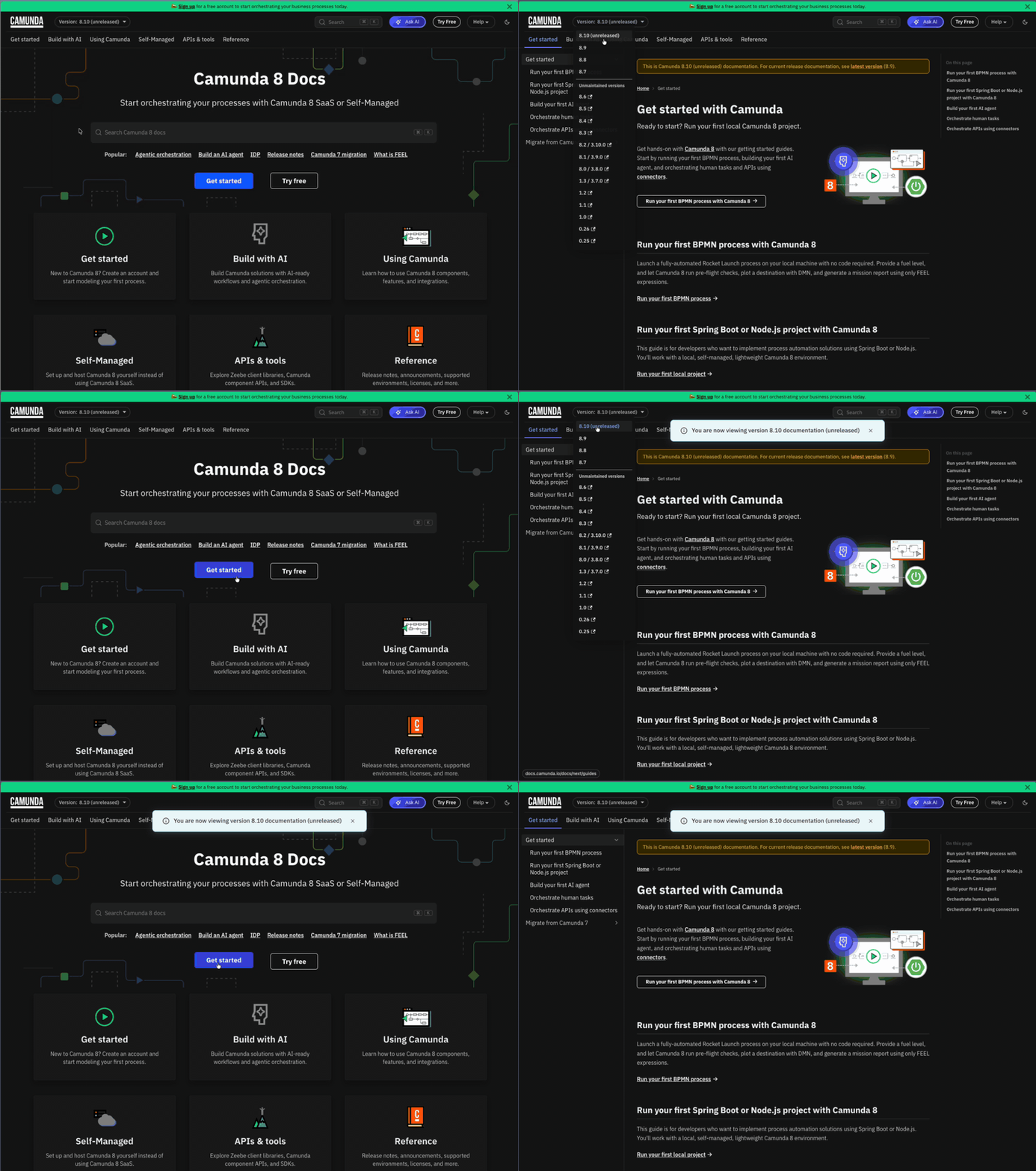
-
Video file: MP4
Describe the bug
On the Camunda docs landing page, select version 8.10, clicking Get started changes the selected docs version from 8.10 to 8.9.
To reproduce
Actual behavior
The version switches from 8.10 to 8.9 after clicking Get started on the landing page.
Expected behavior
Clicking Get started should keep the user on the 8.10 docs and open the corresponding 8.10 getting started page.
Additional context
Inline preview:
Video file: MP4