Fork Notice — This is a maintained fork of
flutter_asset_injectorby @androdevsatyam.Why this fork exists:
- The upstream package has not been updated to support the latest Dart/Flutter SDK versions
- This fork includes compatibility fixes and dependency updates to keep the tool working with current Flutter projects
- All credit for the original concept and implementation goes to the upstream author
If the upstream package resumes active maintenance, this fork may be archived.



Say goodbye to manually typing
- assets/images/...in yourpubspec.yaml. Let a single command do it for you while keeping your file formatting intact!
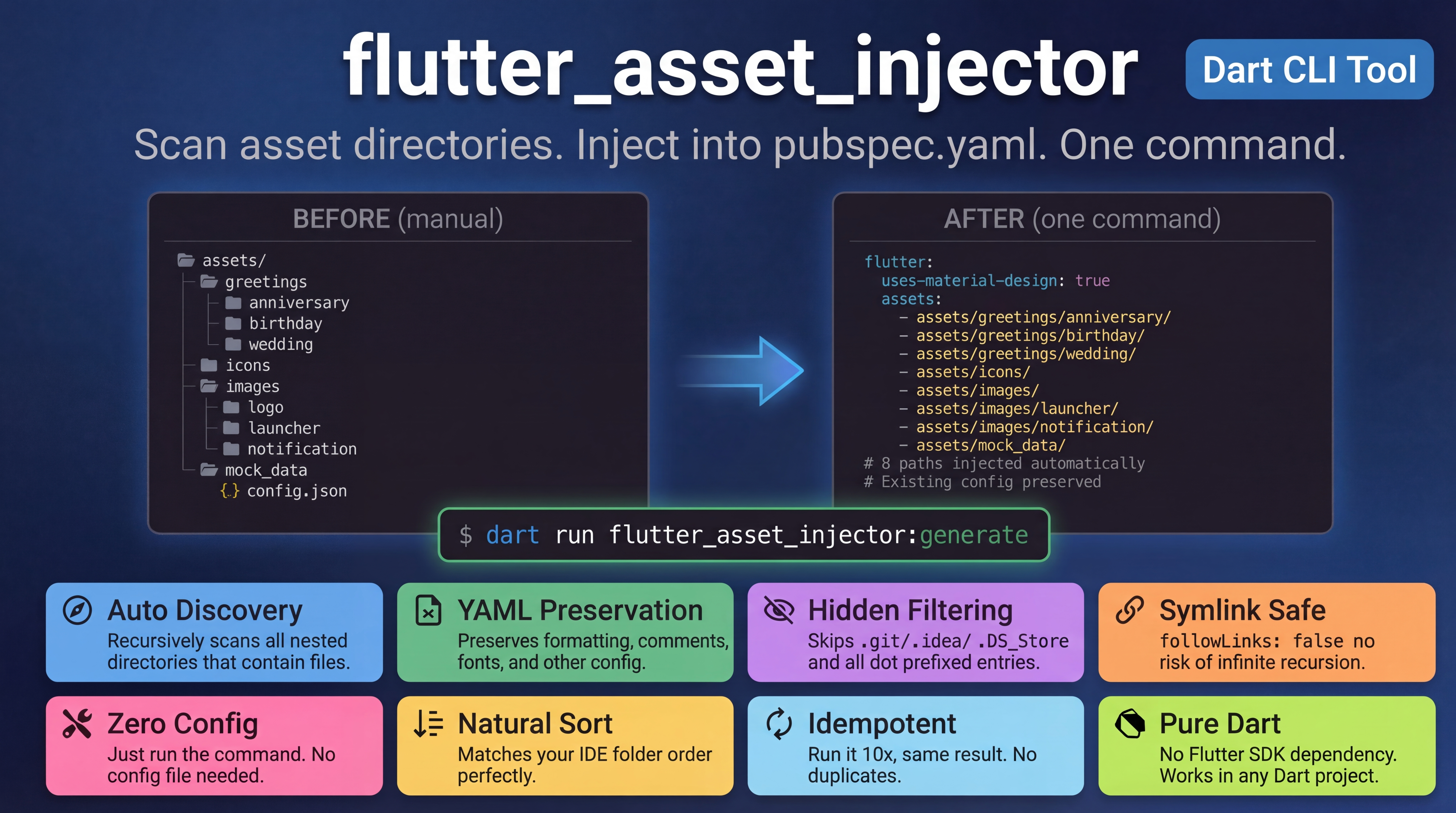
In Flutter, defining assets in pubspec.yaml can get incredibly tedious when your project scales. Creating a new module feature often means making new asset directories like assets/icons/home_feature/, and forgetting to declare them in pubspec.yaml leads to frustrating "Asset not found" crashes during runtime.
Just like how flutter_native_splash handles your splash screens, flutter_asset_injector provides a simple CLI tool that recursively scans your assets folder and accurately injects every necessary directory path right into your pubspec.yaml.

- Zero Config Required: Plug and play. No bloated configuration models required.
- Recursive Auto-Discovery: Scans through all nested directories and safely includes only folders that actually contain files.
- Natural Sorting: Lists your paths in the exact same Natural Order that your IDE (VS Code / Android Studio) sorts your folder tree.
- Respects Your Styling: Uses intelligent AST Yaml injection under the hood to ensure all your original
pubspec.yamlformatting, spacing, and comments remain untouched.
Add this to your package's pubspec.yaml (under dev_dependencies):
dev_dependencies:
flutter_asset_injector: ^1.0.0Execute the following from your terminal:
dart run flutter_asset_injector:generateBy default, the script looks for a root folder named assets. If you use different naming, just pass it as an argument:
dart run flutter_asset_injector:generate my_custom_folderWant to see it in action before adding it to your own project? We have a fully configured example project ready for you to playfully test on!
git clone https://github.com/Asteerix/flutter_asset_injector_fork.git
cd flutter_asset_injector_fork/example
dart run flutter_asset_injector:generate
Boom. Assets Loaded. Open the example/pubspec.yaml and watch how flawlessly the assets were injected.
Contributions are absolutely welcome! Feel free to open an issue or submit a PR on GitHub.
Built with ❤️ by @androdevsatyam
If this tool saved you time, consider ⭐ starring the repo.