
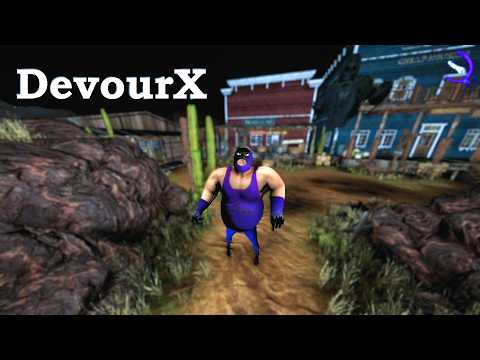
The ultimate internal mod menu for the co-op horror game Devour.
📢 IMPORTANT ANNOUNCEMENT
DevourX is currently being completely rewritten with a new loader infrastructure. While the old system relied on the Il2CppInspector C++ Scaffold, I have now developed and started testing a new C++ loader that operates similarly to MelonLoader, but delivers pure C++ performance instead of C#.
Thanks to this new infrastructure, mods will no longer break when the game receives an update. I will be releasing this new loader system completely free and open for you to create your own mods (the DevourX mod itself will remain a paid project).
The loader generates a C++ SDK for developers, featuring built-in Detours, optional SafeHook, and ImGui. I will be sharing all the details soon on luridlane.com.
Visuals & ESP
- Fullbright
- Advanced ESP
- Unlimited UV Light & Color Customizer
Gameplay
- Speed Hacks & Fly Mode
- Instant Win & Item Spawner
- Disable Long Interactions
- Unlock All Doors/Robes
- Auto-Calm (Automatically calms Azazel when nearby)
- Play as Azazel
- BHOP
- Live Chat Translator (powered by Google API)
Lobby & Steam
- Force Start Lobbies
- Bypass Player Limits
- Change Room Name
- SteamID & Name Hook Spoofing
- EXP Modifier
- Walk In Lobby
- Windows 10/11 (64-bit)
- A legitimate copy of Devour (Steam or other supported platforms)
- Microsoft Visual C++ Redistributable (x64)


DevourX is currently a private project. To gain access, you need to follow these steps:
- Contact Me First: Reach out to me directly via Discord before doing anything else.
- Discord: Jadis0x
- Support the Project: Make a small donation via Buy Me a Coffee to help maintain and update the menu.
- Activation: Once confirmed, I will grant your account/profile direct access to the project. (No files will be sent manually).

- Get Authorized: Make sure you have contacted me and received access authorization.
- Locate Game Folder: Find your Devour directory. (Default:
C:\Program Files (x86)\Steam\steamapps\common\Devour) - Extract & Copy: Place the authorized
version.dllandlocalization/folder directly into the main game directory alongsideDevour.exe. - Launch: Start the game normally. DevourX will hook automatically.
- Play: Press
TABin-game to toggle the menu.
DevourX supports multiple languages including English, Turkish, Spanish, German, French, Korean, Simplified Chinese, Ukrainian, Russian, and Thai. The menu will prompt for your preference on first launch.
Want to add your own custom language?
- Duplicate
localization/en-US.jsonand rename it (e.g.,es-ES.json). - Translate the values (keep JSON keys and
%s/%dintact). - Add your language name to the
languagesarray at the top of the file. - Set it as default in
localization/config.jsonto test your changes in-game.
Menu not showing up? Windows Defender or your antivirus might flag version.dll (a common false positive for injected DLLs). Simply restore the file from quarantine and add it to your exclusions, then relaunch the game.
Simply close Devour and delete version.dll from your game folder.
Disclaimer: This project is for educational and research purposes. Use responsibly and avoid ruining public lobbies.
