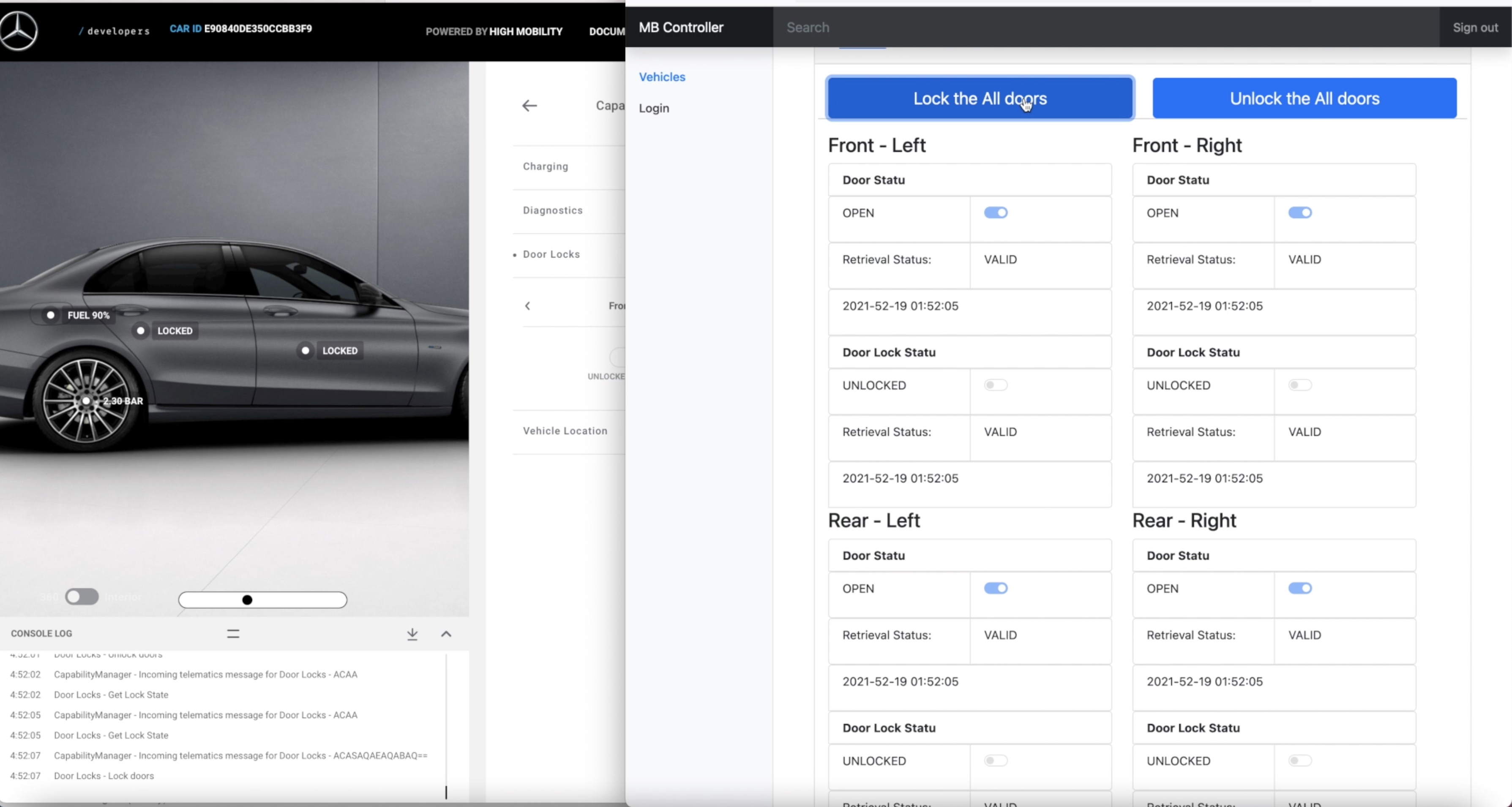
The Applications allows to the user to connect mercedes-benz API and get the vehicle information which vehicle belongs to user. So User can track & control the vehicle via the application.
intro.mp4
Get an Developer account from MB developer page and create an API in MB developer console. Mercedes Benz Developer Page
Open the configuration file which is located in external library package. exLib and fill with the correct information.
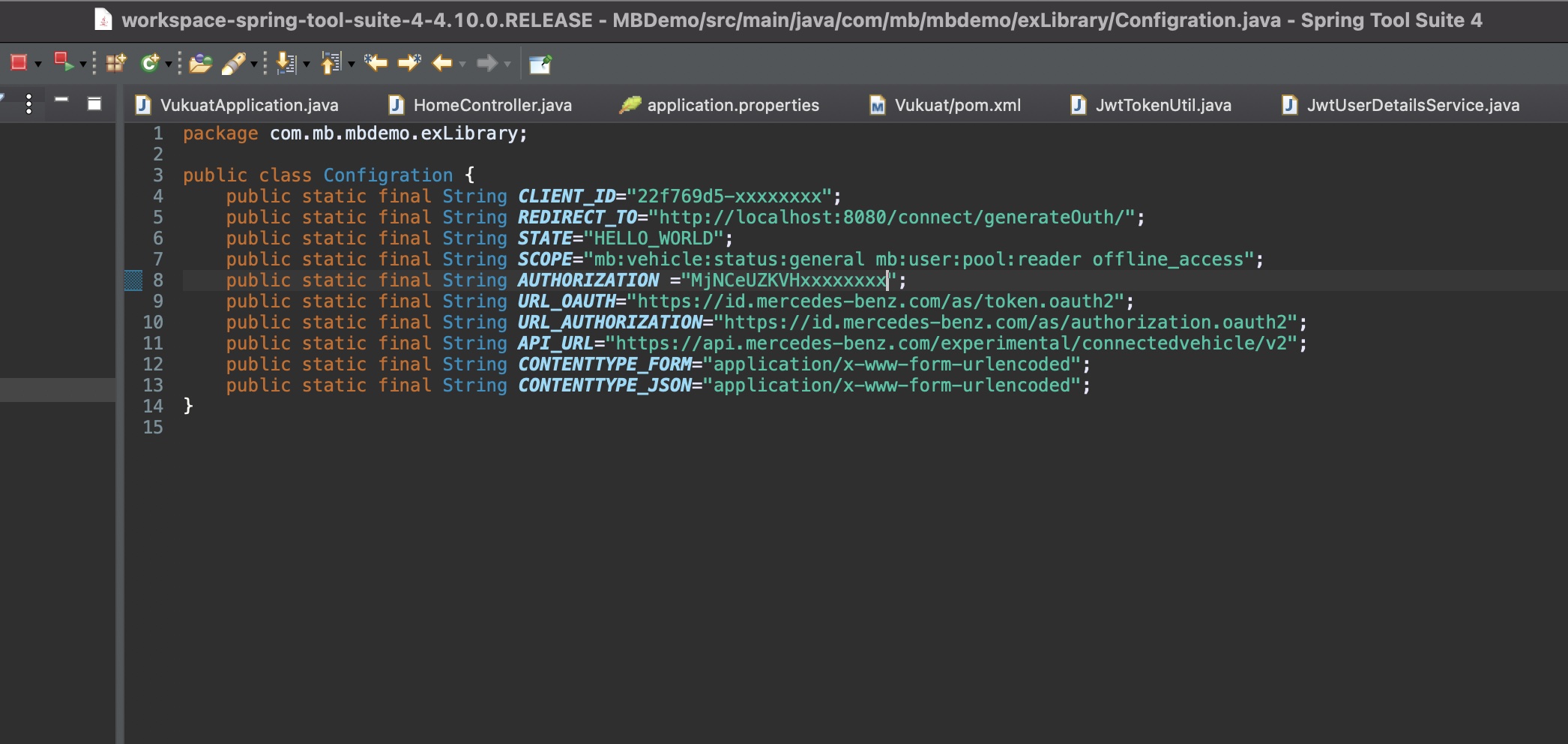
You can direcly import the Spring project in your IDE and to make it run on your local machine or you can make it run in docker Container. cd (enter your project folder which you download and be sure the Dockerfile is exist) open command line and type this docker run -p8080:8080 mercedes-benz-controller:latest
docker run -p8080:8080 mercedes-benz-controller:latest
Open Car simulator in MB developer page and when you lock-unlock or close-open the doors than you will see the door status will be changed in the application.
Also you can lock or unlock doors from application. If you click lock or unclock door on application, the door statu will be changed in car simulator too.