A starter for building on Magento® Open Source with the Hyvä frontend, pre-wired for GitHub Codespaces, GitHub Actions, and Claude Code.
Starter kit, not a production store. This is a learning and prototyping baseline. Going to production needs hosting, SSL, payments, performance tuning, and a security review. You can grow this into a real store — just not on day one.
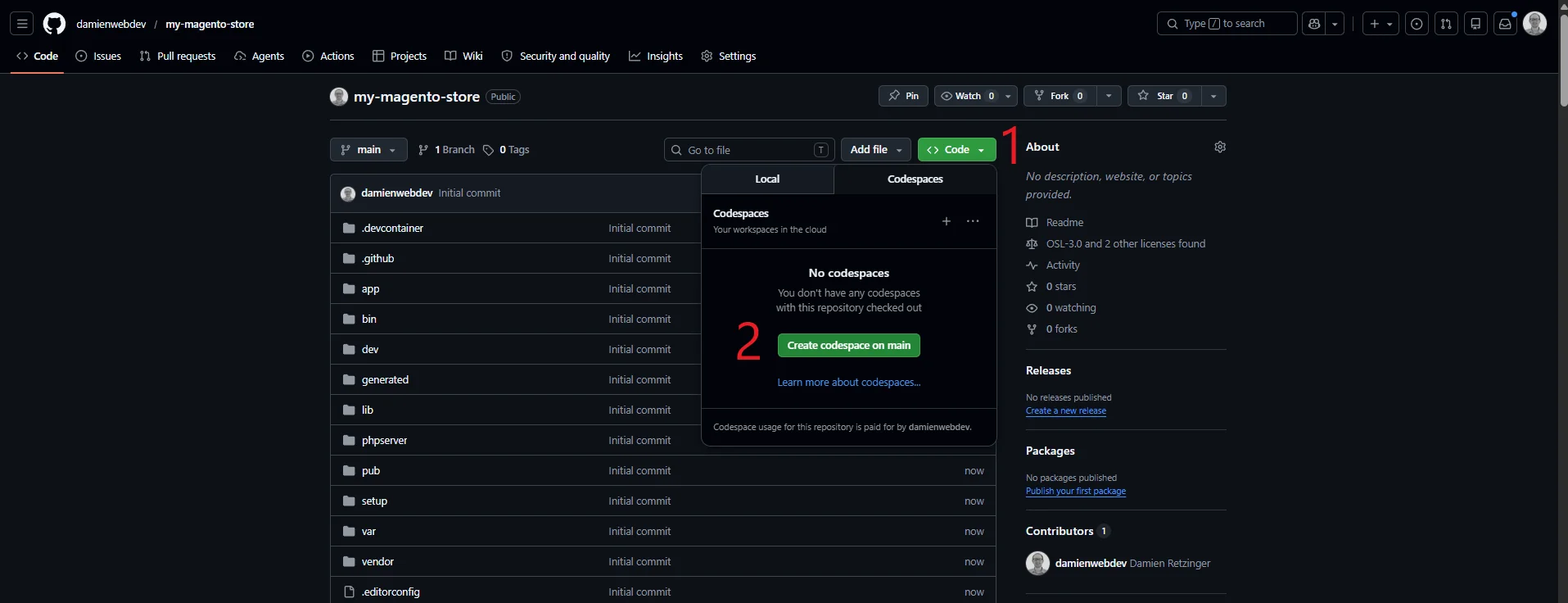
Click Code → Codespaces → Create codespace on main. Wait for the devcontainer to build (~4 minutes on first launch), then continue in the Codespace terminal.
We do this before launching Claude so your credentials never pass through an AI prompt — they go straight from Hyvä's dashboard into your Codespace shell.
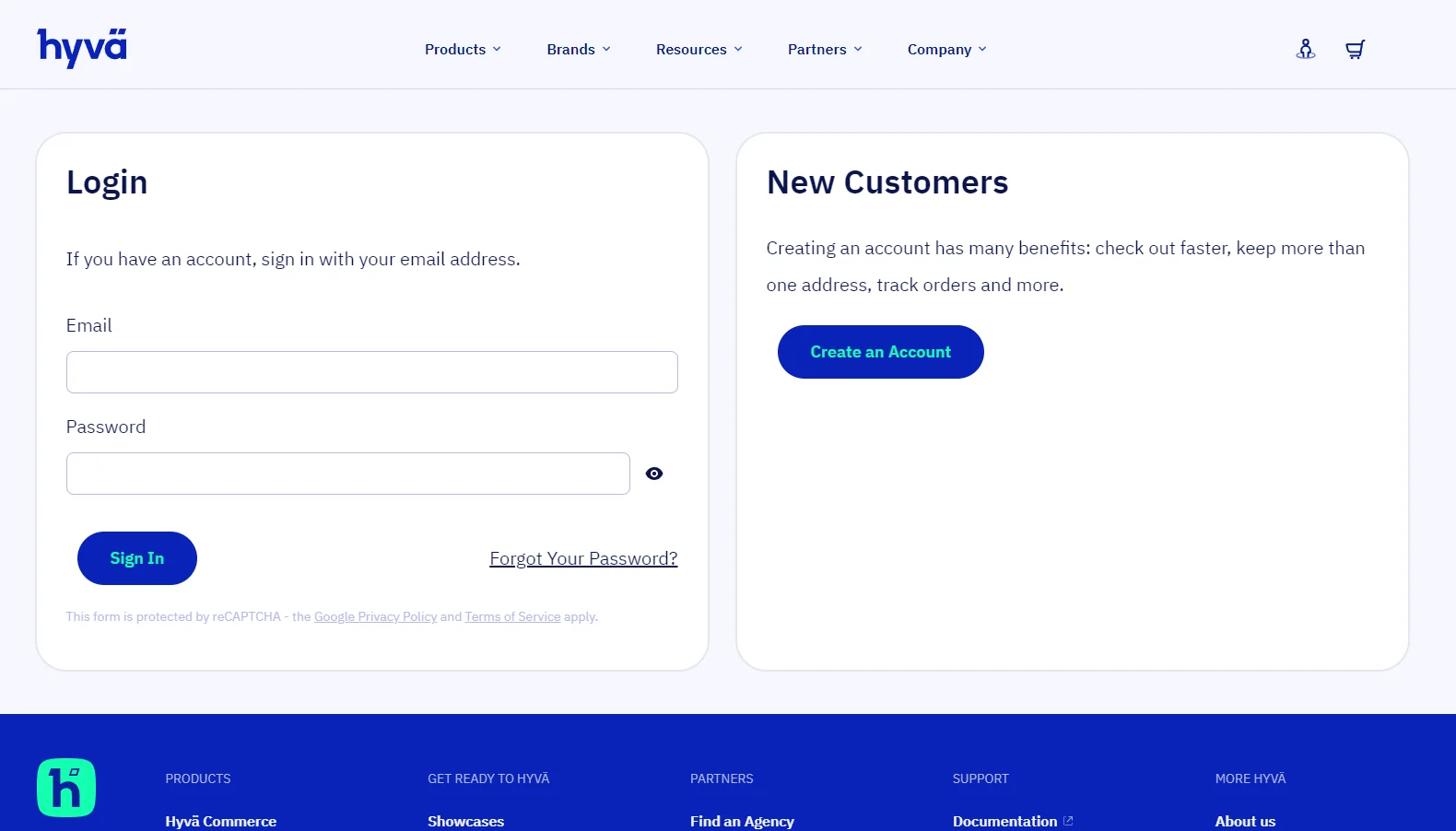
Sign up at hyva.io → — the default theme is free, you just need an account.
Hyvä's account dashboard shows you two composer config commands.
Copy them from the dashboard and paste them directly into the
terminal:
# This is the Private Packagist key for your license currently linked to mage-os-starter.graycore.io:
# You may install it as follows:

composer config repositories.private-packagist composer https://hyva-themes.repo.packagist.com/YOUR_HASH/
composer config --global --auth http-basic.hyva-themes.repo.packagist.com token YOUR_TOKEN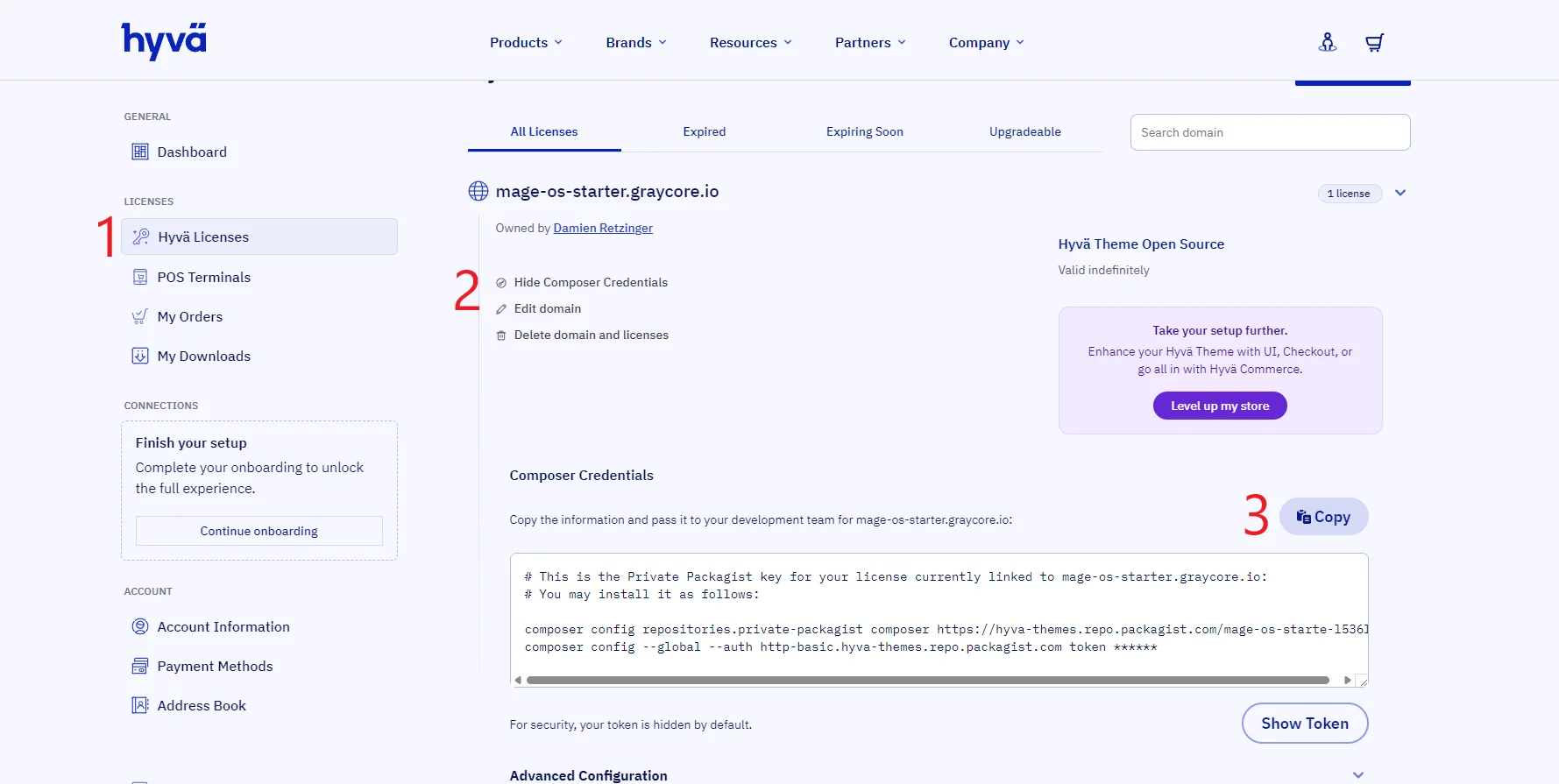
Now that composer knows where to find Hyvä, pull the packages down:
composer installclaudeThis launches Claude Code inside the Codespace — your terminal coding partner for the rest of this guide.
The first launch will print a one-time login link. Open it in your browser, sign in to your Anthropic account, then paste the verification code Claude shows you back into the terminal.
Prefer not to log in every time? Add an
ANTHROPIC_API_KEYCodespaces secret (same place you'll addCOMPOSER_AUTHbelow — see Persist your Hyvä credentials across Codespaces). Claude picks it up from the environment automatically.
Everything below happens by typing requests at the claude prompt.
Ask Claude:
Install Magento.
Claude runs .devcontainer/magento2-devcontainer/bin/setup-install.sh | bash,
which generates a bin/magento setup:install command pointed at the
devcontainer's already-running MariaDB, Redis, OpenSearch, and
RabbitMQ services, then executes it. Takes a few minutes.
Prefer the manual command?
.devcontainer/magento2-devcontainer/bin/setup-install.sh | bash
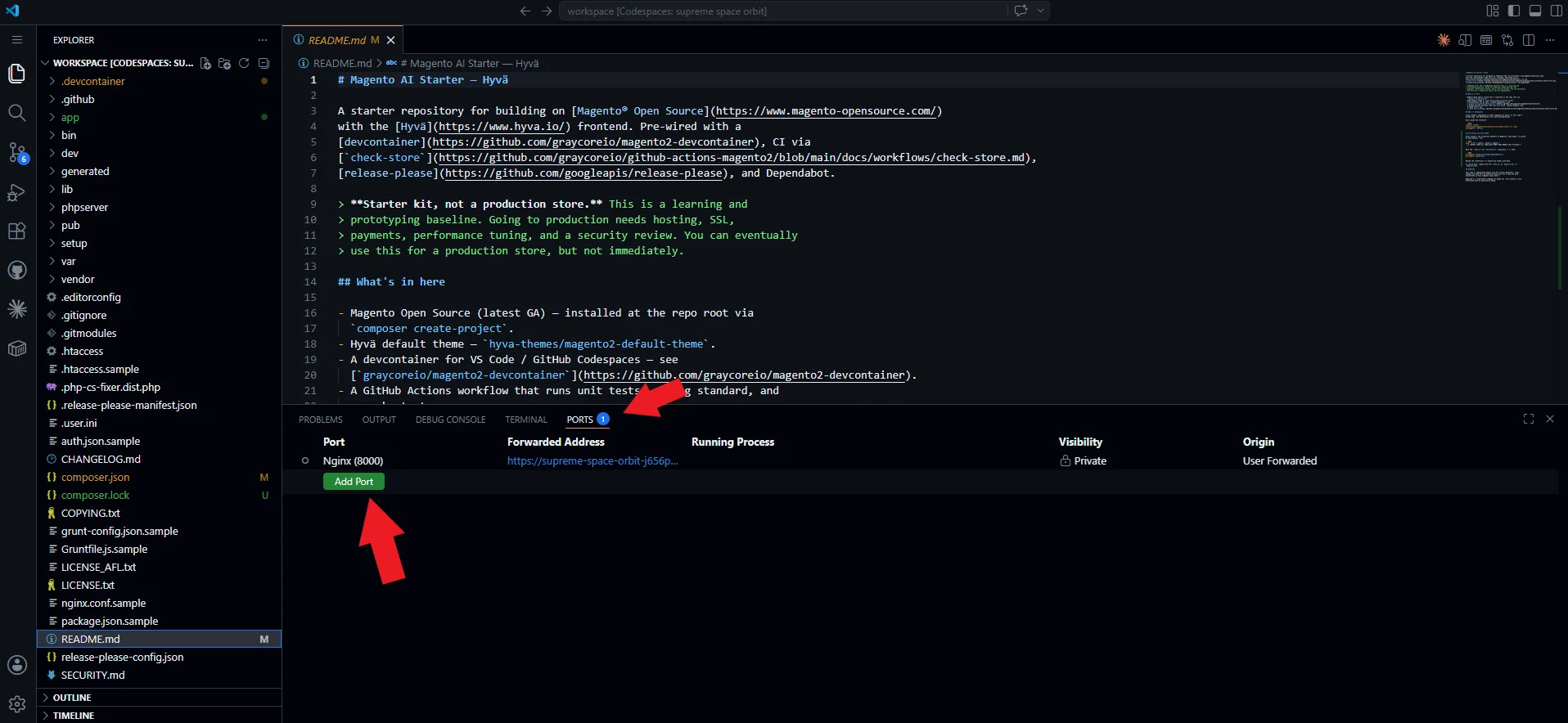
When the install finishes, Codespaces forwards the store port. Click the Open in Browser toast, or use the PORTS tab.
Ask Claude:
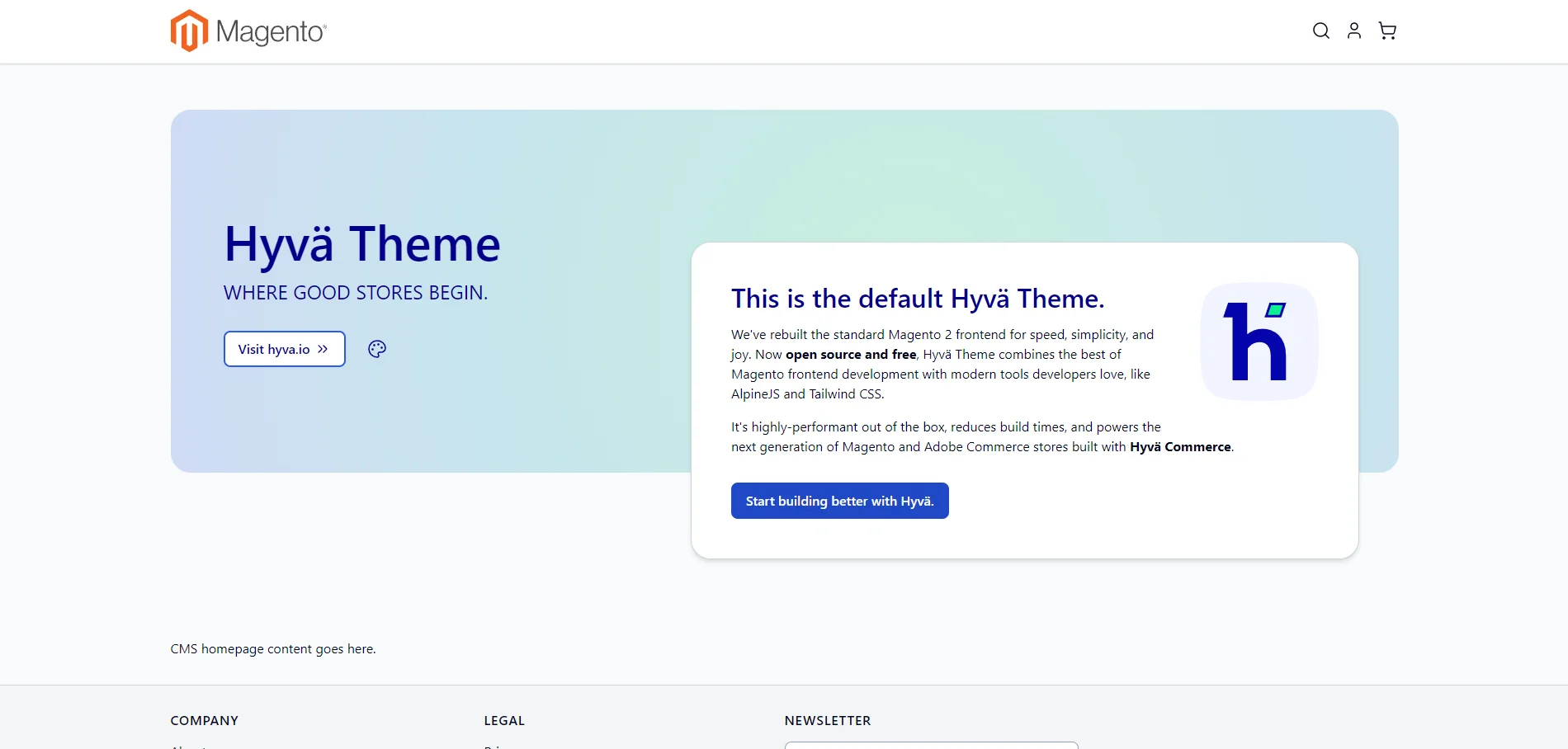
Switch the storefront theme to Hyvä.
Claude flips the theme to Hyva/default and clears caches. Refresh
your storefront — you're now on Hyvä.
Prefer the manual commands?
bin/magento config:set --lock-config design/theme/theme_id frontend/Hyva/default
bin/magento app:config:dump themes
bin/magento cache:clean
--lock-configwrites the change toapp/etc/config.php(instead of thecore_config_datadatabase table) so the theme choice lives in code and gets committed alongside your store.app:config:dump themesdoes the same for the Hyvä theme registry entries themselves.
Before you ask Claude to change anything else, save a snapshot of where things are right now. Think of it like saving in a video game: you can come back to this exact state later, and you'll be able to see exactly what Claude changed next.
At the claude prompt, just ask:
Save a checkpoint of what we have so far.
Claude will gather everything you've done, pick a sensible label, and write it down. That's it — you're safe to experiment.
Prefer to do it yourself? The two terminal commands Claude runs under the hood are:
git add -A
git commit -m "chore: install Magento + switch to Hyvä"
The
chore:/feat:/fix:labels are Conventional Commits. This starter ships with release-please, which reads those labels and proposes a versioned release whenever you push.chore:anddocs:are no-ops;feat:triggers a minor bump;fix:a patch bump.
Still at the claude prompt, ask:
Put an animating duck on the homepage.
Claude will pick the right Hyvä template, drop in the markup + a small CSS keyframe animation, and clear caches. Refresh the storefront — your duck is waddling.
Happy with it? Ask Claude to save and share:
Save this and push it to GitHub.
Claude commits the change with a label that describes what just happened, then uploads it so your team — and the automation in this repo — can see it.
Prefer the manual version?
git add -A
git commit -m "feat: add animating duck to homepage"
git push
The storefront is the customer-facing side. The admin panel is where you manage products, content, and store settings.
Append /admin to the same forwarded URL and sign in with the
devcontainer's default credentials:
| Field | Value |
|---|---|
| URL | <your-codespace-url>/admin |
| Username | admin |
| Password | admin123 |
These are dev defaults, not production credentials. They're set by
setup-install.shso you can get into the admin without ceremony. Before pointing this at a real domain, rotate the password and randomise the admin URL.
On your first admin login, Magento prompts you to set up two-factor authentication and emails an activation link to the admin address. In this starter, outbound mail never leaves the Codespace — it's caught by Mailpit (running inside the devcontainer) so you can develop without spamming a real inbox.
Codespaces forwards Mailpit's web UI on port 8025. Open the
PORTS tab, find the 8025 row, and click the globe icon to open
the inbox.
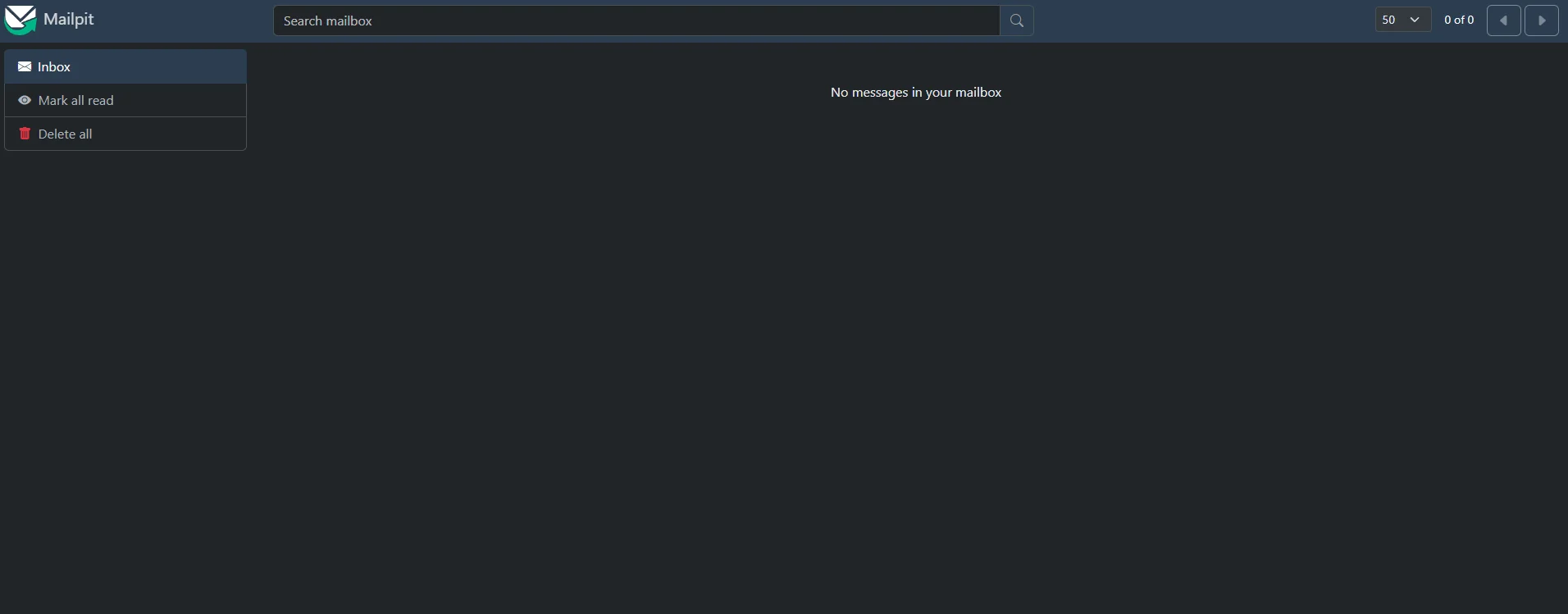
Open the activation email from Magento and click the link inside. Pick Google Authenticator (or any TOTP app you already use), scan the QR code with your phone, and enter the 6-digit code. You're now signed in to the admin.
Mailpit catches everything else Magento sends too — order confirmations, password resets, customer signups, invoices. Use it to design and tweak transactional emails without sending real mail.
Open your repo's Actions tab — the Check Store workflow that
ran on your push back in step 7 failed with a red X. That's the
pre-fabricated CI this starter ships with: every push and pull
request runs unit tests, the Magento coding standard, and a smoke
test against your store. See the
check-store docs
for what each check covers.
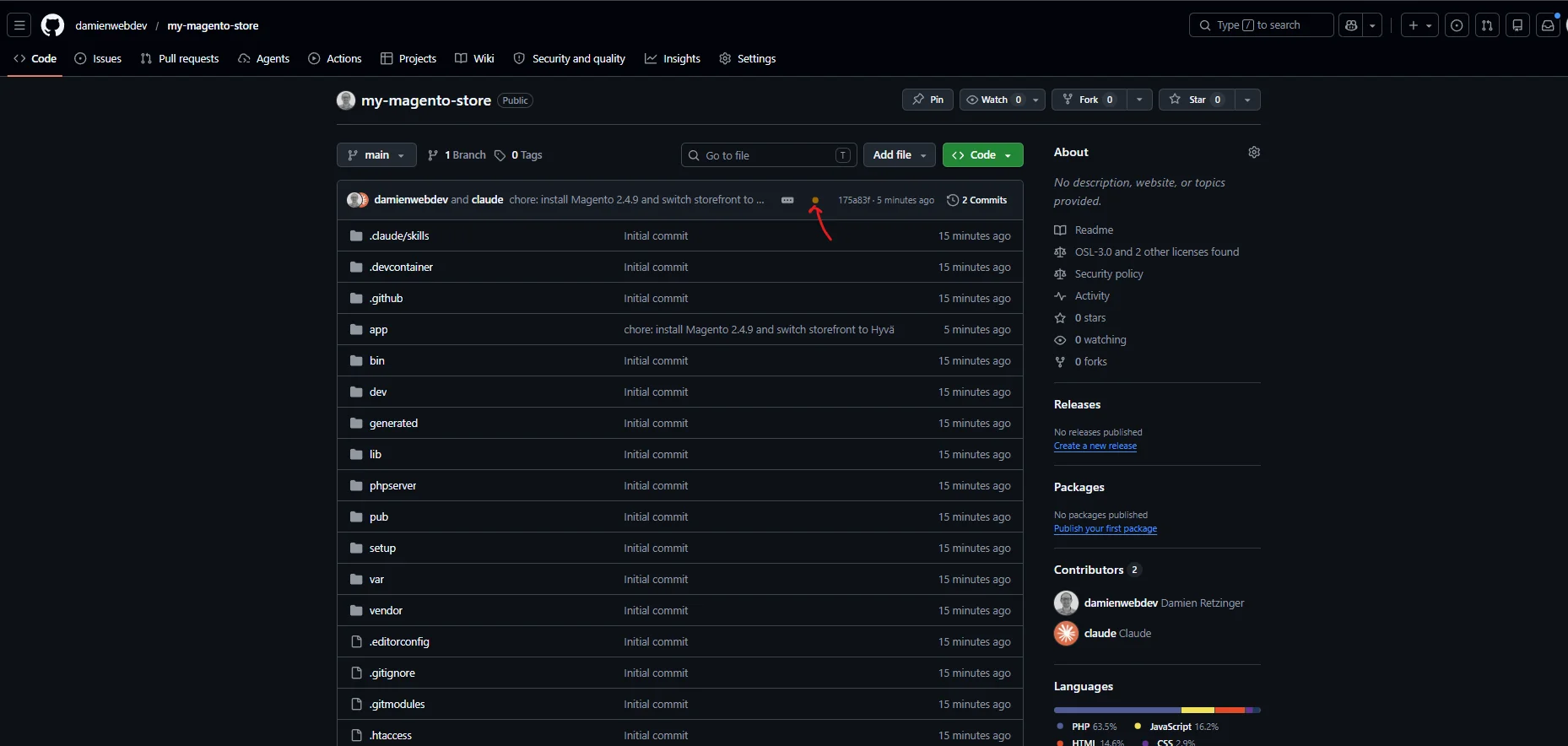
It failed because the Hyvä credentials you pasted into the terminal in step 1b landed in your Codespace only — GitHub Actions runs in a different environment and needs its own copy.
Give Actions its own copy of your Hyvä credentials:
- Repo → Settings → Secrets and variables → Actions
- New repository secret → name it
COMPOSER_AUTH, paste the JSON from Hyvä's account dashboard:{ "http-basic": { "hyva-themes.repo.packagist.com": { "username": "token", "password": "YOUR_TOKEN" } } } - Back in Actions, open the failed run and click Re-run all jobs in the top-right.
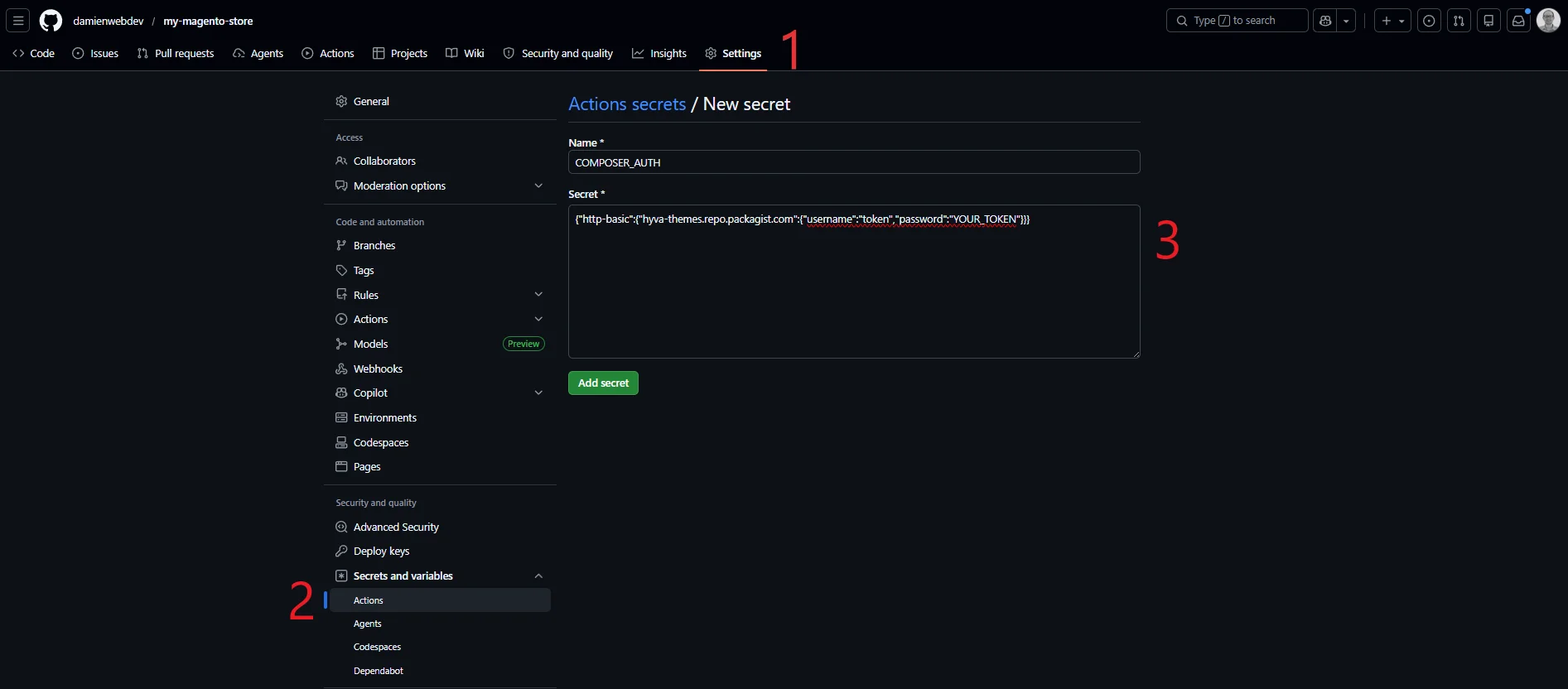
CI should now go green on the re-run.
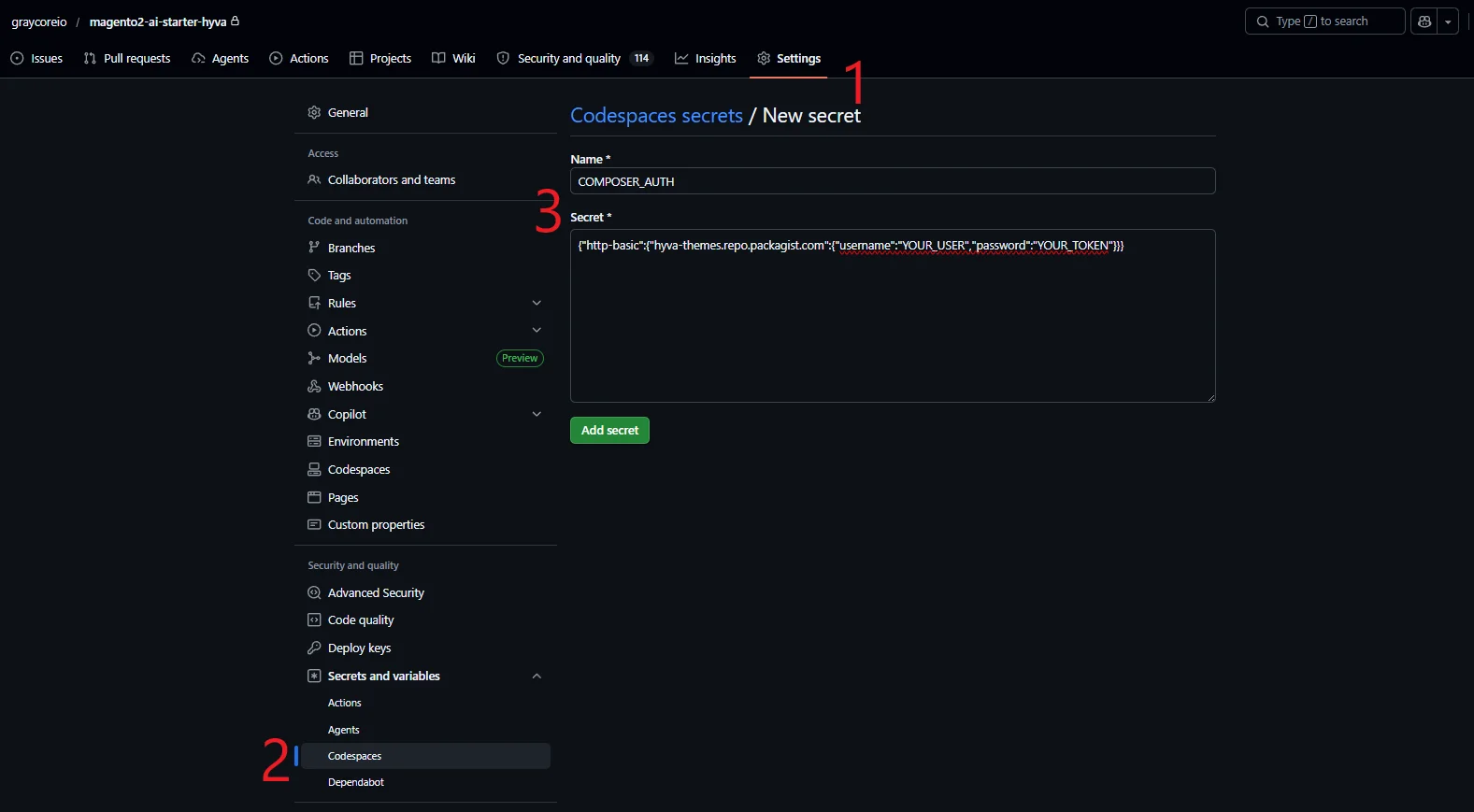
Skip step 1b on every new Codespace by storing your auth as a secret:
- Repo → Settings → Secrets and variables → Codespaces
- Add a secret named
COMPOSER_AUTHcontaining the JSON that Hyvä's dashboard generates, e.g.:{ "http-basic": { "hyva-themes.repo.packagist.com": { "username": "YOUR_USER", "password": "YOUR_TOKEN" } } } - New Codespaces expose it as the
$COMPOSER_AUTHenvironment variable, which composer reads natively — no extra setup.
- Magento Open Source (latest GA) —
installed at the repo root via
composer create-projectagainst the Mage-OS mirror. - Hyvä default theme —
hyva-themes/magento2-default-theme. - Devcontainer — VS Code / Codespaces config.
- Pre-fabricated CI —
.github/workflows/check-store.ymlruns unit tests, coding standard, and a smoke test on every push and pull request. - release-please — cuts versioned releases from your conventional-commit history.
- Dependabot — keeps composer and GitHub Actions dependencies fresh.
Magento® is a registered trademark of Adobe Inc. This project is not affiliated with or endorsed by Adobe.