Douglas Crockford douglas@crockford.com
| Branch | master (v2026.6.30) |
beta (Web Demo) |
alpha (Development) |
|---|---|---|---|
| CI |  |
 |
 |
| Coverage |  |
 |
 |
| Demo |  |
|
|
| Artifacts |  |
|
|
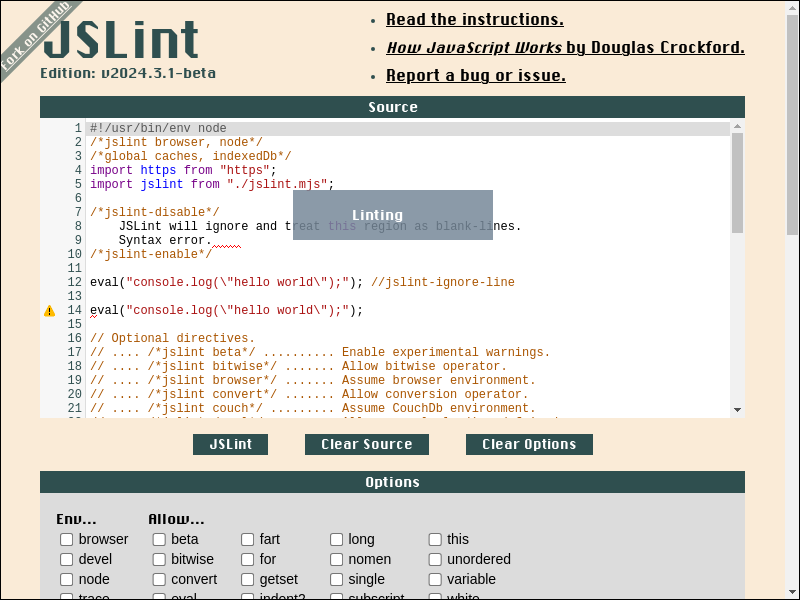
-
- API Doc
- Directive
/*jslint beta*//*jslint bitwise*//*jslint browser*//*jslint convert*//*jslint couch*//*jslint devel*//*jslint eval*//*jslint fart*//*jslint for*//*jslint getset*//*jslint indent2*//*jslint long*//*jslint node*//*jslint nomen*//*jslint single*//*jslint subscript*//*jslint this*//*jslint trace*//*jslint unordered*//*jslint white*//*global*//*property*//*jslint-disable*/.../*jslint-enable*///jslint-ignore-line/*coverage-disable*/.../*coverage-enable*///coverage-ignore-line
- ECMAScript Feature Support
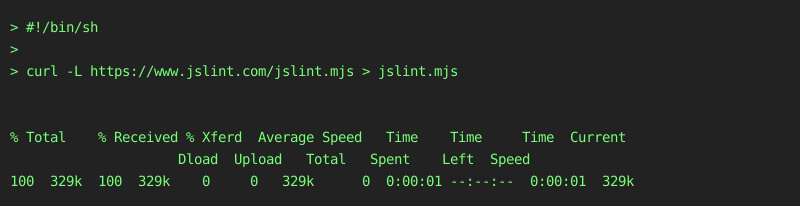
To install, just download and save https://www.jslint.com/jslint.mjs to file:
#!/bin/sh

curl -L https://www.jslint.com/jslint.mjs > jslint.mjs- shell output
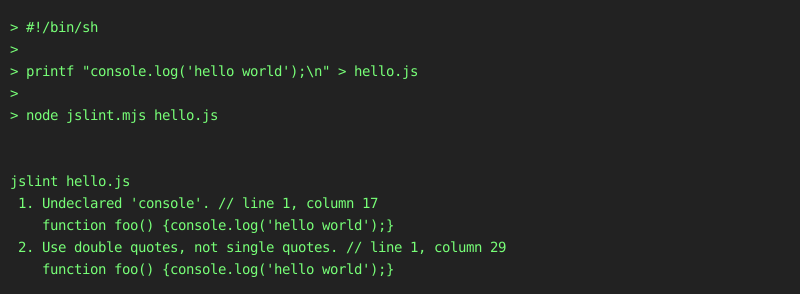
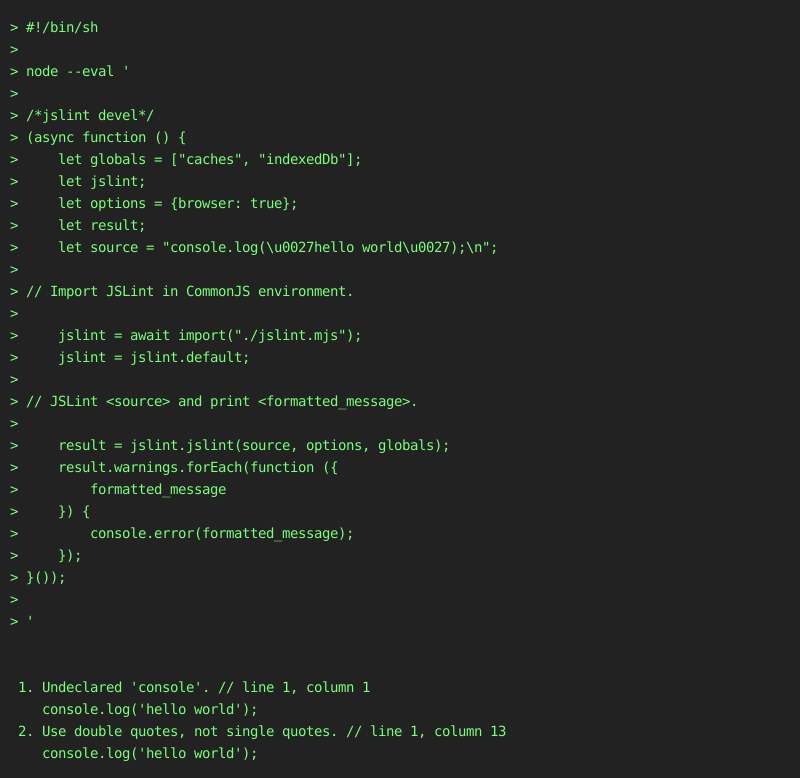
#!/bin/sh

printf "console.log('hello world');\n" > hello.js

node jslint.mjs hello.js- shell output
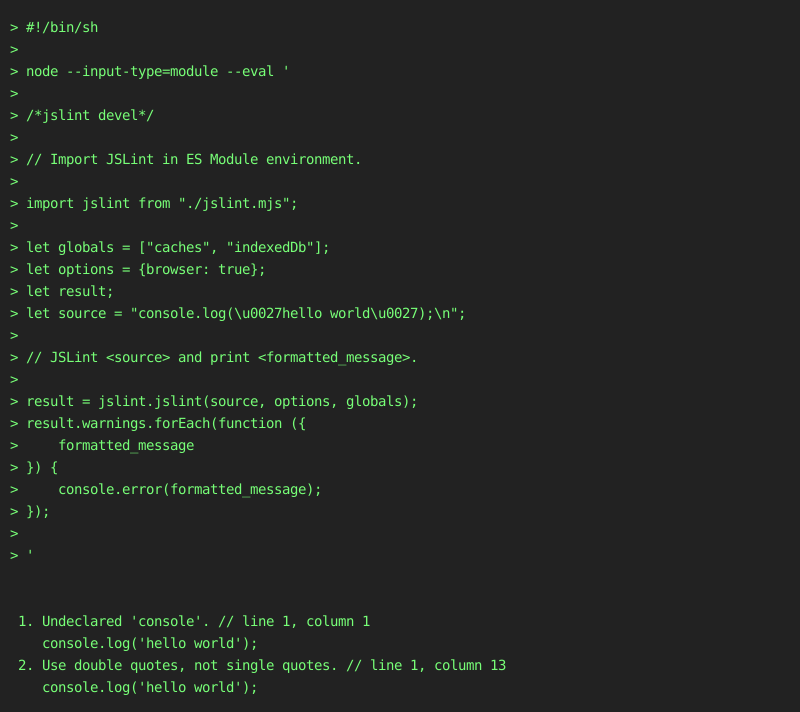
#!/bin/sh

node --input-type=module --eval '

/*jslint devel*/

// Import JSLint in ES Module environment.

import jslint from "./jslint.mjs";

let globals = ["caches", "indexedDb"];
let options = {browser: true};
let result;
let source = "console.log(\u0027hello world\u0027);\n";

// JSLint <source> and print <formatted_message>.

result = jslint.jslint(source, options, globals);
result.warnings.forEach(function ({
    formatted_message
}) {
    console.error(formatted_message);
});

'- shell output
#!/bin/sh

node --eval '

/*jslint devel*/
(async function () {
    let globals = ["caches", "indexedDb"];
    let jslint;
    let options = {browser: true};
    let result;
    let source = "console.log(\u0027hello world\u0027);\n";

// Import JSLint in CommonJS environment.

    jslint = await import("./jslint.mjs");
    jslint = jslint.default;

// JSLint <source> and print <formatted_message>.

    result = jslint.jslint(source, options, globals);
    result.warnings.forEach(function ({
        formatted_message
    }) {
        console.error(formatted_message);
    });
}());

'- shell output
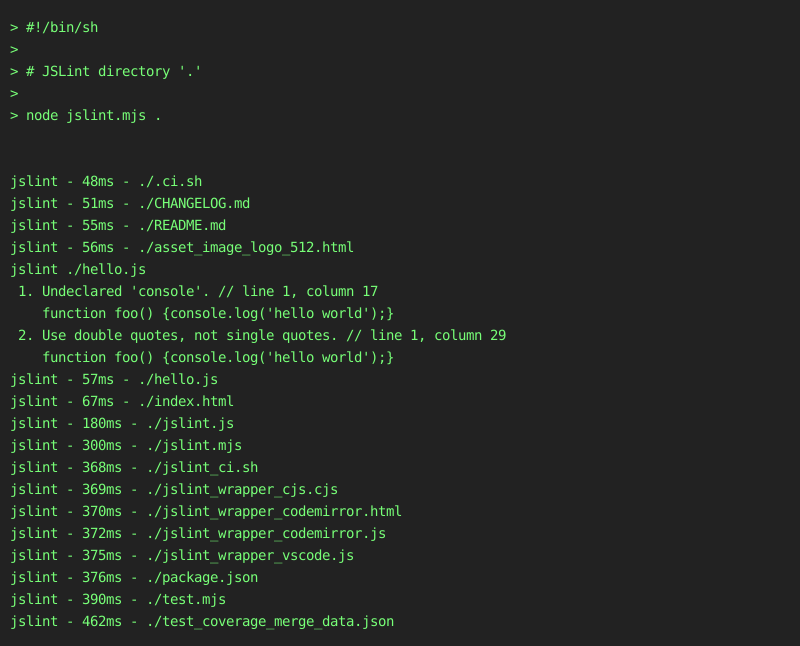
#!/bin/sh

# JSLint directory '.'

node jslint.mjs .- shell output
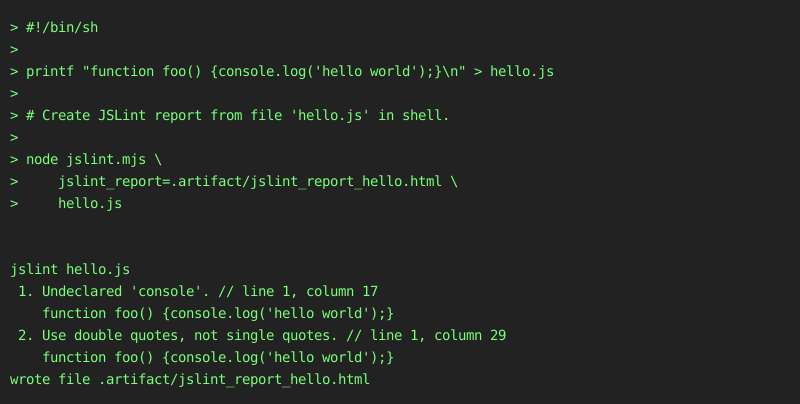
#!/bin/sh

printf "function foo() {console.log('hello world');}\n" > hello.js

# Create JSLint report from file 'hello.js' in shell.

node jslint.mjs \
    jslint_report=.artifact/jslint_report_hello.html \
hello.js- shell output
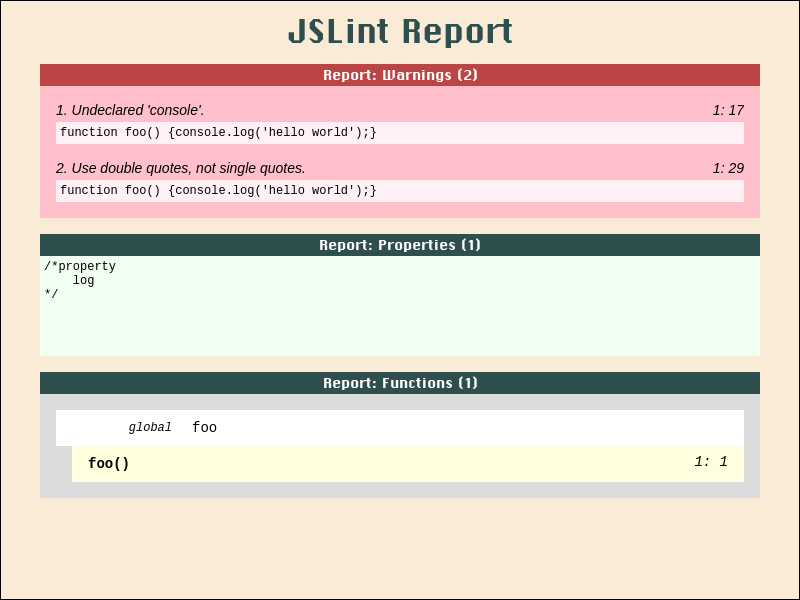
- screenshot file .artifact/jslint_report_hello.html
#!/bin/sh

node --input-type=module --eval '

/*jslint devel*/
import jslint from "./jslint.mjs";
import fs from "fs";
(async function () {
    let result;
    let source = "function foo() {console.log(\u0027hello world\u0027);}\n";

// Create JSLint report from <source> in javascript.

    result = jslint.jslint(source);
    result = jslint.jslint_report(result);
    result = `<body class="JSLINT_ JSLINT_REPORT_">\n${result}</body>\n`;

    await fs.promises.mkdir(".artifact/", {recursive: true});
    await fs.promises.writeFile(".artifact/jslint_report_hello.html", result);
    console.error("wrote file .artifact/jslint_report_hello.html");
}());

'- shell output
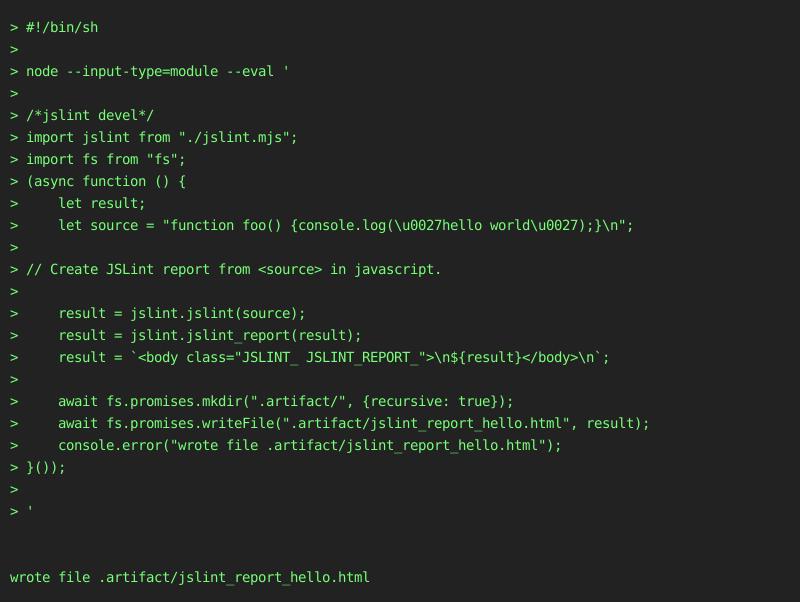
- screenshot file .artifact/jslint_report_hello.html
#!/bin/sh

git clone https://github.com/tryghost/node-sqlite3 node-sqlite3-sh \
    --branch=v5.0.11 \
    --depth=1 \
    --single-branch

cd node-sqlite3-sh
npm install

# Create V8 coverage report from program `npm run test` in shell.

node ../jslint.mjs \
    v8_coverage_report=../.artifact/coverage_sqlite3_sh/ \
        --exclude=tes?/ \
        --exclude=tes[!0-9A-Z_a-z-]/ \
        --exclude=tes[0-9A-Z_a-z-]/ \
        --exclude=tes[^0-9A-Z_a-z-]/ \
        --exclude=test/**/*.js \
        --exclude=test/suppor*/*elper.js \
        --exclude=test/suppor?/?elper.js \
        --exclude=test/support/helper.js \
        --include=**/*.cjs \
        --include=**/*.js \
        --include=**/*.mjs \
        --include=li*/*.js \
        --include=li?/*.js \
        --include=lib/ \
        --include=lib/**/*.js \
        --include=lib/*.js \
        --include=lib/sqlite3.js \
npm run test- shell output
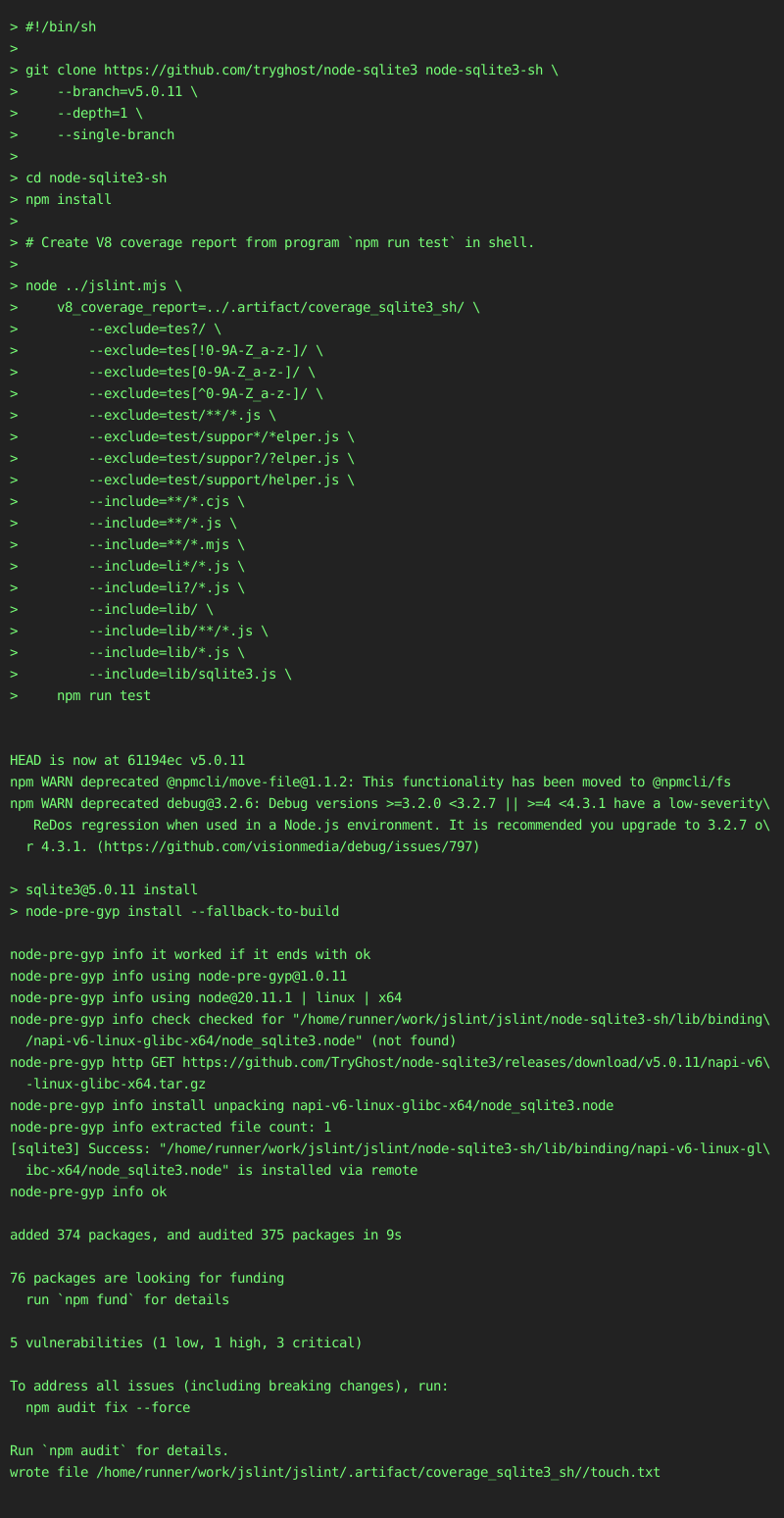
- screenshot file .artifact/coverage_sqlite3_sh/index.html
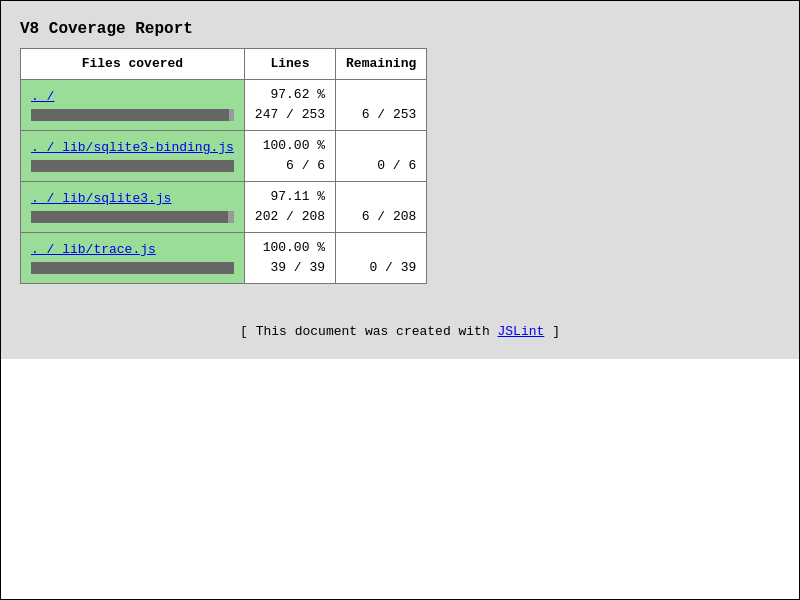
- screenshot file .artifact/coverage_sqlite3_sh/lib/sqlite3.js.html
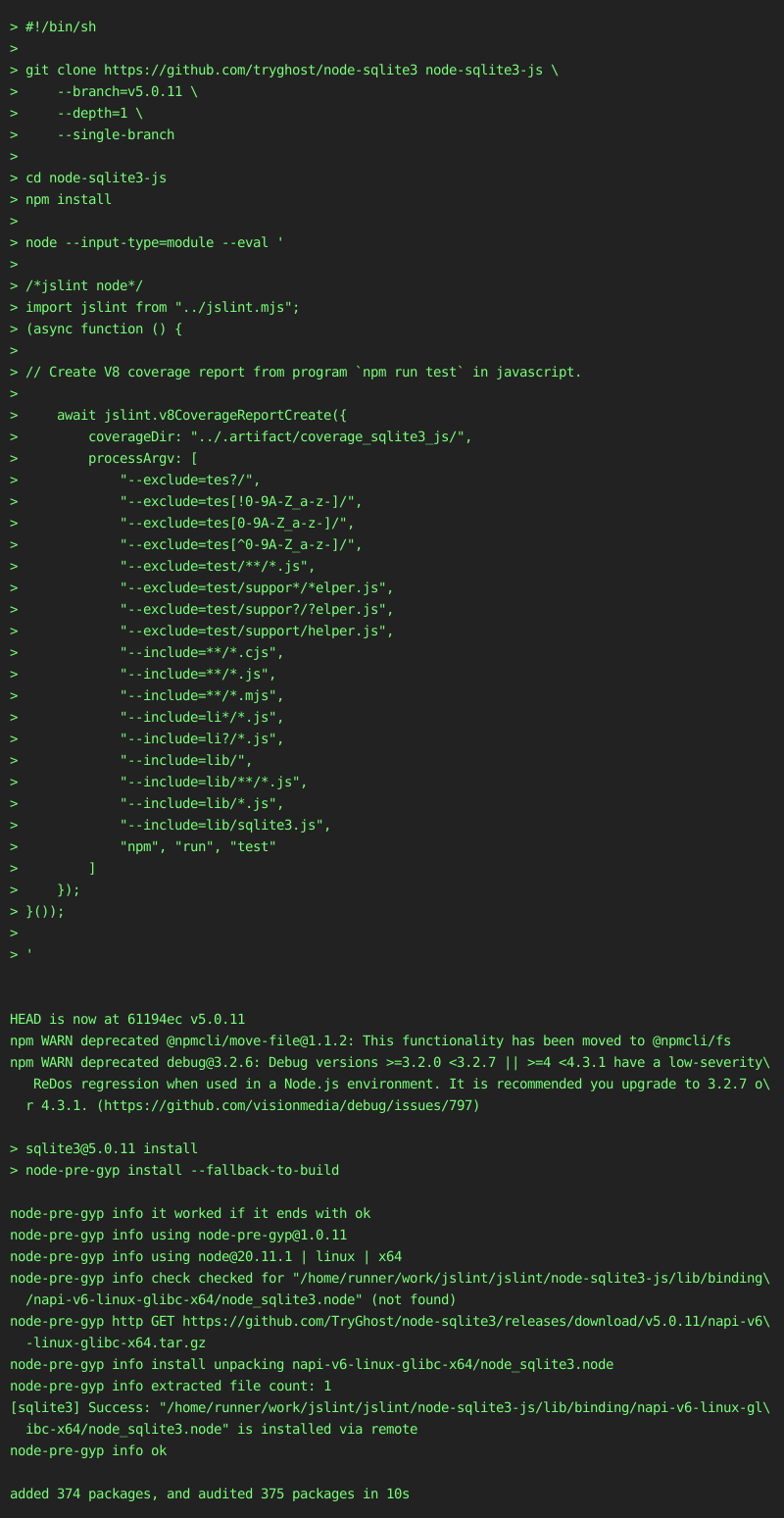
#!/bin/sh

git clone https://github.com/tryghost/node-sqlite3 node-sqlite3-js \
    --branch=v5.0.11 \
    --depth=1 \
    --single-branch

cd node-sqlite3-js
npm install

node --input-type=module --eval '

/*jslint node*/
import jslint from "../jslint.mjs";
(async function () {

// Create V8 coverage report from program `npm run test` in javascript.

    await jslint.v8CoverageReportCreate({
        coverageDir: "../.artifact/coverage_sqlite3_js/",
        processArgv: [
            "--exclude=tes?/",
            "--exclude=tes[!0-9A-Z_a-z-]/",
            "--exclude=tes[0-9A-Z_a-z-]/",
            "--exclude=tes[^0-9A-Z_a-z-]/",
            "--exclude=test/**/*.js",
            "--exclude=test/suppor*/*elper.js",
            "--exclude=test/suppor?/?elper.js",
            "--exclude=test/support/helper.js",
            "--include=**/*.cjs",
            "--include=**/*.js",
            "--include=**/*.mjs",
            "--include=li*/*.js",
            "--include=li?/*.js",
            "--include=lib/",
            "--include=lib/**/*.js",
            "--include=lib/*.js",
            "--include=lib/sqlite3.js",
            "npm", "run", "test"
        ]
    });
}());

'- shell output
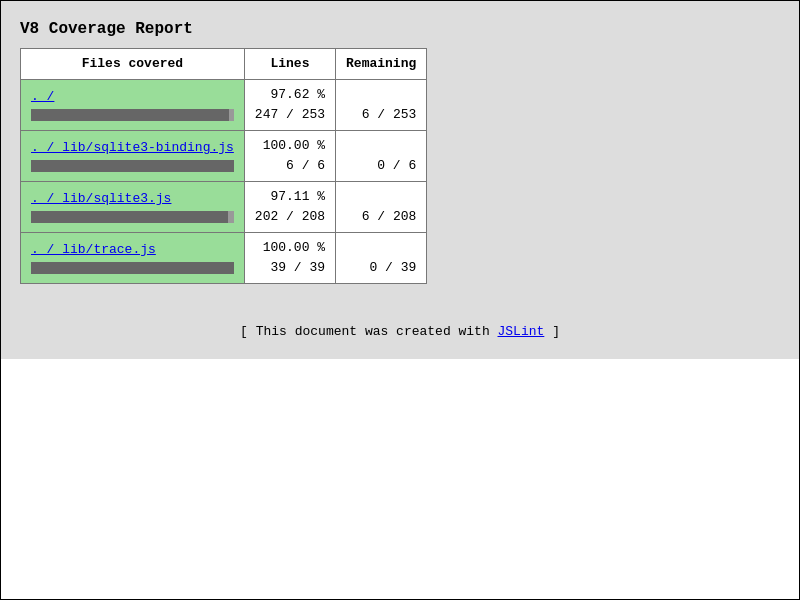
- screenshot file .artifact/coverage_sqlite3_js/index.html
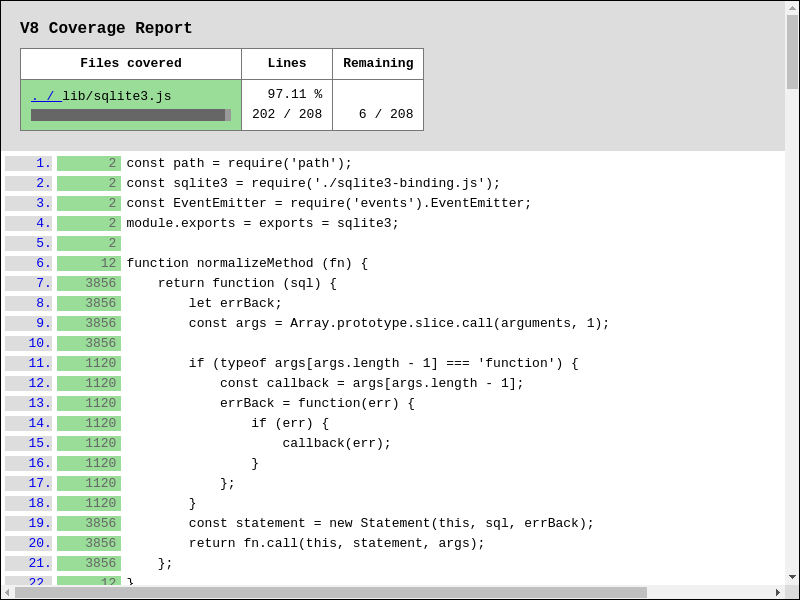
- screenshot file .artifact/coverage_sqlite3_js/lib/sqlite3.js.html
-
Download and save
jslint.mjs,jslint_wrapper_codemirror.jsto file. -
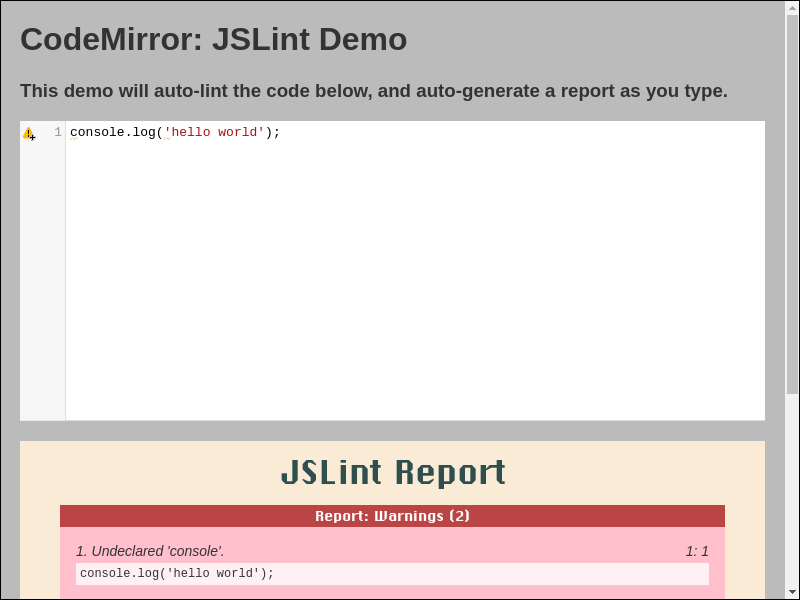
Edit, save, and serve example html-file below:
<!DOCTYPE html>
<html lang="en">
<head>
    <meta charset="utf-8">
    <title>CodeMirror: JSLint Demo</title>

<!-- Assets from codemirror. -->

    <link rel="stylesheet" href="https://cdnjs.cloudflare.com/ajax/libs/codemirror/5.65.10/codemirror.css">
    <link rel="stylesheet" href="https://cdnjs.cloudflare.com/ajax/libs/codemirror/5.65.10/addon/lint/lint.css">
    <script defer src="https://cdnjs.cloudflare.com/ajax/libs/codemirror/5.65.10/codemirror.js"></script>
    <script defer src="https://cdnjs.cloudflare.com/ajax/libs/codemirror/5.65.10/mode/javascript/javascript.js"></script>
    <script defer src="https://cdnjs.cloudflare.com/ajax/libs/codemirror/5.65.10/addon/lint/lint.js"></script>

<!-- Assets from jslint. -->

    <script type="module" src="./jslint.mjs?window_jslint=1"></script>
    <script defer src="./jslint_wrapper_codemirror.js"></script>
<style>
body {
    background: #bbb;
    color: #333;
    font-family: sans-serif;
    margin: 20px;
}
.JSLINT_.JSLINT_REPORT_ {
    margin-top: 20px;
}
#editor1 {
    height: 300px;
    width: 100%;
}
</style>
</head>


<body>
    <h1>CodeMirror: JSLint Demo</h1>
    <h3>
This demo will auto-lint the code below, and auto-generate a report as you type.
    </h3>

<!-- Container for codemirror-editor. -->

    <textarea id="editor1">console.log('hello world');</textarea>

<!-- Container for jslint-report. -->

    <div class="JSLINT_ JSLINT_REPORT_"></div>


<script type=module>
window.addEventListener("load", function () {
    let editor = window.CodeMirror.fromTextArea(document.getElementById(
        "editor1"
    ), {
        gutters: [
            "CodeMirror-lint-markers"
        ],
        indentUnit: 4,
        lineNumbers: true,
        lint: {
            lintOnChange: true, // Enable auto-lint.
            options: {
                // browser: true,
                // node: true
                globals: [
                    // "caches",
                    // "indexedDb"
                ]
            }
        },
        mode: "javascript"
    });

// Initialize event-handling before linter is run.

    editor.on("lintJslintBefore", function (/* options */) {
        // options.browser = true;
        // options.node = true;
        // options.globals = [
        //     "caches",
        //     "indexedDb"
        // ];
        return;
    });

// Initialize event-handling after linter is run.

    editor.on("lintJslintAfter", function (options) {

// Generate jslint-report from options.result.

        document.querySelector(
            ".JSLINT_REPORT_"
        ).innerHTML = window.jslint.jslint_report(options.result);
    });

// Manually trigger linter.

    editor.performLint();
});
</script>
</body>
</html>- Live example at https://www.jslint.com/jslint_wrapper_codemirror.html
- Download and save
jslint.mjs,jslint_wrapper_vim.vimto directory~/.vim/ - Add vim-command
:source ~/.vim/jslint_wrapper_vim.vimto file~/.vimrc- If above files were saved to custom-directory, then use that directory instead, e.g.:
- save
jslint.mjs,jslint_wrapper_vim.vimto directory~/vimfiles/ - vim-command
:source ~/vimfiles/jslint_wrapper_vim.vim
- save
- If above files were saved to custom-directory, then use that directory instead, e.g.:
- Vim can now jslint files (via nodejs):
- with vim-command
:SaveAndJslint - with vim-key-combo
<Ctrl-S> <Ctrl-J>
- with vim-command
- screenshot

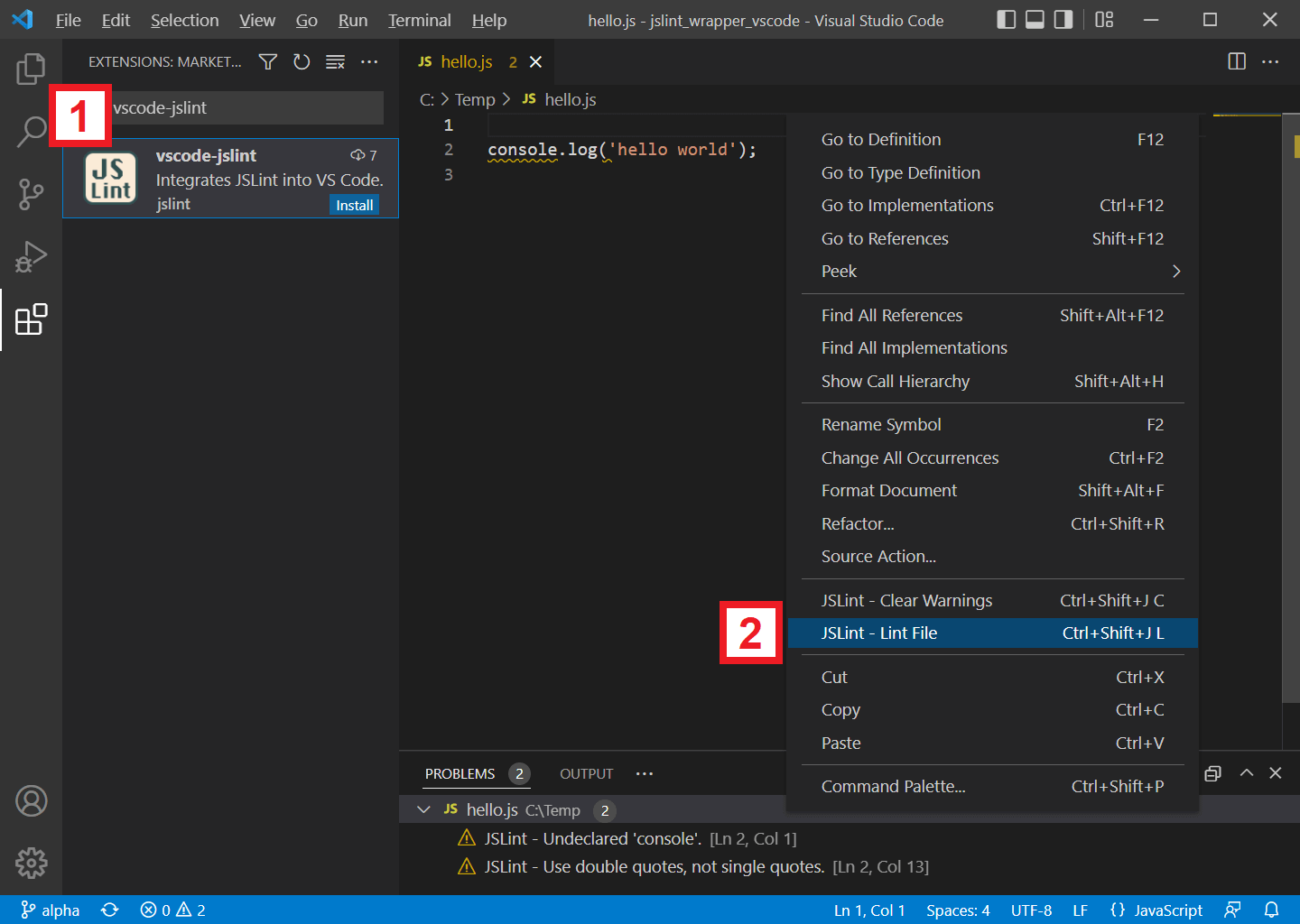
- In VSCode, search and install extension
vscode-jslint - In VSCode, while editing a javascript file:
- right-click context-menu and select
[JSLint - Lint File] - or use key-binding
[Ctrl + Shift + J], [L] - or use key-binding
[ Cmd + Shift + J], [L]for Mac
- right-click context-menu and select
- screenshot
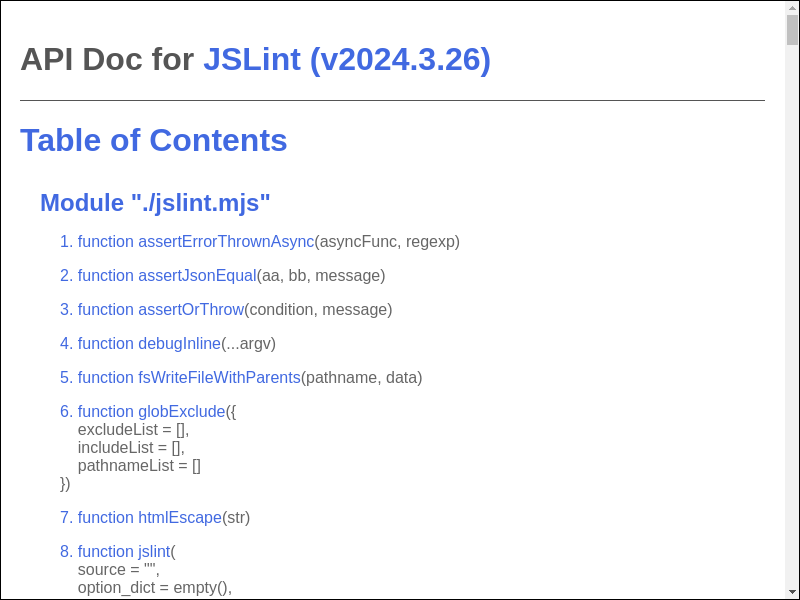
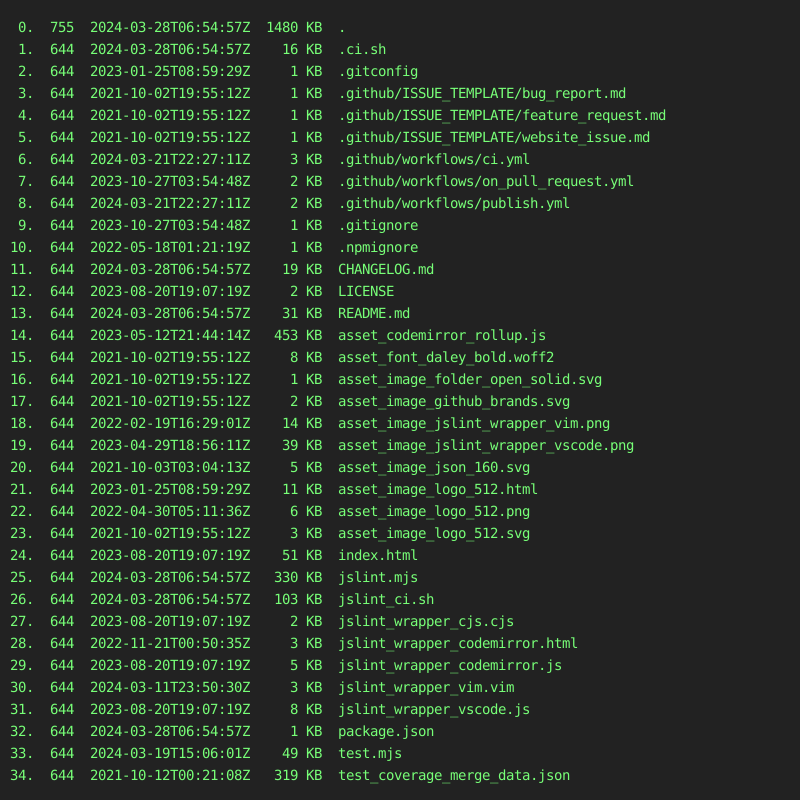
- jslint.mjs contains the jslint function. It parses and analyzes a source file, returning an object with information about the file. It can also take an object that sets options.
- index.html runs the jslint.mjs function in a web page.
/*jslint beta*/
// Enable experimental warnings.
// Warn if global variables are redefined.
// Warn if const / let statements are not declared at top of function or
//    script, similar to var statements.
// Warn if const / let / var statements are not declared in ascii-order.
// Warn if named-functions are not declared in ascii-order.
// Warn if cases in switch-statements are not in ascii-order.
/*jslint bitwise*/
// Allow bitwise operator.
let foo = 0 | 1;/*jslint browser*/
// Assume browser environment.
localStorage.getItem("foo");/*jslint convert*/
// Allow conversion operator.
let foo = new Date() + "";
let bar = !!0;/*jslint couch*/
// Assume CouchDb environment.
registerType("text-json", "text/json");/*jslint devel*/
// Allow console.log() and friends.
console.log("hello");/*jslint eval*/
// Allow eval().
eval("1");/*jslint fart*/
// Allow complex fat-arrow.
let foo = async ({bar, baz}) => {
return await bar(baz);
};/*jslint for*/
// Allow for-loop.
function foo() {
let ii;
for (ii = 0; ii < 10; ii += 1) {
foo();
}
}/*jslint getset, this, devel*/
// Allow get() and set().
let foo = {
bar: 0,
get getBar() {
return this.bar;
},
set setBar(value) {
this.bar = value;
}
};
console.log(foo.getBar); // 0
foo.setBar = 1;
console.log(foo.getBar); // 1/*jslint indent2*/
// Use 2-space indent.
function foo() {
return;
}/*jslint long*/
// Allow long lines.
let foo = "aaaaaaaaaaaaaaaaaaaaaaaaaaaaaaaaaaaaaaaaaaaaaaaaaaaaaaaaaaaaaaaaaaaa";/*jslint node*/
// Assume Node.js environment.
require("fs");/*jslint nomen*/
// Allow weird property name.
let foo = {};
foo._bar = 1;/*jslint single*/
// Allow single-quote strings.
let foo = '';/*jslint subscript*/
// Allow identifiers in subscript-notation.
let foo = {};
foo["bar"] = 1;/*jslint this*/
// Allow 'this'.
function foo() {
return this;
}/*jslint trace*/
// Include jslint stack-trace in warnings.
console.log('hello world');
/*
1. Undeclared 'console'.
console.log('hello world');
Error
at warn_at (...)
at warn (...)
at lookup (...)
at pre_v (...)
at jslint.mjs
2. Use double quotes, not single quotes.
console.log(...);
Error
at warn_at (...)
at lex_string (...)
at lex_token (...)
at jslint_phase2_lex (...)
at Function.jslint (...)
at jslint.mjs
*//*jslint unordered*/
// Allow unordered cases, params, properties, variables, and exports.
let foo = {bb: 1, aa: 0};
function bar({
bb = 1,
aa = 0
}) {
return aa + bb;
}
export {
foo,
bar
};/*jslint white*/
// Allow messy whitespace.
let foo = 1; let bar = 2;/*global foo, bar*/
// Declare global variables foo, bar.
foo();
bar();/*property foo, bar*/
// Restrict property-access to only .foo, .bar.
let aa = {bar: 1, foo: 2};/*jslint-disable*/
JSLint will ignore and treat this region as blank-lines.
Syntax error.
/*jslint-enable*/// JSLint will ignore non-fatal warnings at given line.
eval("1"); //jslint-ignore-line/*coverage-disable*/
// JSLint will ignore code-coverage in this region.
if (false) {
console.log("hello world");
}
/*coverage-enable*/// JSLint will ignore code-coverage at given line.
if (false) {
console.log("hello world"); //coverage-ignore-line
}- https://github.com/tc39/proposals/blob/main/finished-proposals.md
- https://github.com/lukehoban/es6features


- JSLint is under Unlicense License.
- CodeMirror editor is under MIT License.
- Function
v8CoverageListMergeis derived from MIT Licensed v8-coverage.
-
update
.github/workflows/ci.yml.github/workflows/publish.ymlto:- latest nodejs-lts version @ https://nodejs.org/en/about/previous-releases
-
update
CHANGELOG.md- verify
<CHANGELOG.md entry #1>is most-relevant to pull-request. - run
# re-run until version propagates
npm run test2

# update 'PR-xxx' placeholder
sh jslint_ci.sh shGithubPrUpdatePrxxx

# re-run until version propagates
sh jslint_ci.sh shGithubPrCreate alpha beta # v20yy.mm.dd __pr_beta_pre

git push upstream alpha -f
- verify ci-success @ https://github.com/kaizhu256/jslint/actions
- verify ci-success @ https://github.com/jslint-org/jslint/actions
- verify
-
goto https://github.com/jslint-org/jslint/compare/beta...kaizhu256:jslint:branch-p2026.7.3
- click
Create pull request - input
Add a title *with:<CHANGELOG.md entry #1> - input
Add a descriptionwith:Fixes #xxx. This PR will: <CHANGELOG.md entry #1> This PR will additionally: <CHANGELOG.md entry extra> <screenshot> - click
Previewand review - verify:
- base respository:
jslint-org/jslint - base:
beta
- base respository:
- click
Create pull request- verify ci-success @ https://github.com/jslint-org/jslint/actions/workflows/on_pull_request.yml
- click
-
wait awhile before continuing ...
- click
Squash and merge- verify ci-success @ https://github.com/jslint-org/jslint/actions
- run
sh jslint_ci.sh shGithubPrCleanup

git push upstream alpha -f
- verify ci-success @ https://github.com/kaizhu256/jslint/actions
- verify ci-success @ https://github.com/jslint-org/jslint/actions
- click
Delete branch
- click
-
update
.github/workflows/ci.yml.github/workflows/publish.ymlto:- latest nodejs-lts version @ https://nodejs.org/en/about/previous-releases
-
update
CHANGELOG.md- verify
<CHANGELOG.md entry #1>is most-relevant to pull-request. - run
# re-run until version propagates
npm run test2

# update 'PR-xxx' placeholder
sh jslint_ci.sh shGithubPrUpdatePrxxx

# re-run until version propagates
sh jslint_ci.sh shGithubPrCreate alpha master # v20yy.mm.dd __pr_master_pre

git push upstream alpha -f
- verify ci-success @ https://github.com/kaizhu256/jslint/actions
- verify ci-success @ https://github.com/jslint-org/jslint/actions
- verify
-
goto https://github.com/jslint-org/jslint/compare/beta...kaizhu256:jslint:branch-v2026.6.30
- click
Create pull request - input
Add a title *with:# v20yy.mm.dd - input
Add a descriptionwith:<CHANGELOG.md entry #1> <CHANGELOG.md entry extra> - click
Previewand review - verify:
- base respository:
jslint-org/jslint - base:
beta
- base respository:
- click
Create pull request- verify ci-success @ https://github.com/jslint-org/jslint/actions/workflows/on_pull_request.yml
- click
-
wait awhile before continuing ...
- click
Squash and merge- verify ci-success @ https://github.com/jslint-org/jslint/actions
- run
sh jslint_ci.sh shGithubPrCleanup

git push upstream alpha -f
- verify ci-success @ https://github.com/kaizhu256/jslint/actions
- verify ci-success @ https://github.com/jslint-org/jslint/actions
- click
Delete branch - run
git push origin beta:master

git push upstream beta:master
- verify ci-success @ https://github.com/kaizhu256/jslint/actions
- verify ci-success @ https://github.com/jslint-org/jslint/actions
- click
- goto https://www.npmjs.com/package/@jslint-org/jslint/access
- click
Github Actions - input
Organization or user*with:jslint-org - input
Repository*with:jslint - input
Workflow filename*with:publish.yml - click
Set up connectionorUpdate Package Settings
- click
-
- run
git push upstream beta:master
- verify ci-success @ https://github.com/jslint-org/jslint/actions
- run
- goto https://github.com/jslint-org/jslint/releases/new
- input
Tag: Select tagwith:v20yy.mm.dd- click
Create new tagand clickCreate - verify correct-year
v20yy.mm.dd - select
Target: master
- click
- input
Release titlewith:v20yy.mm.dd - <CHANGELOG.md entry #1>- select
Previous tag: Auto - click
Generate release notes
- select
- input
Writewith:<CHANGELOG.md entry #1> <CHANGELOG.md entry extra> **Full Changelog**: ... - click
Previewand review - click
Latest - click
Publish release- verify ci-success @ https://github.com/jslint-org/jslint/actions
- verify email-notification
Successfully published @jslint-org/jslint@20yy.mm.dd
- input
- goto https://github.com/jslint-org/jslint/tree/gh-pages/branch-beta/.artifact/jslint_wrapper_vscode
- click
vscode-jslint-20yy.mm.dd.vsix - click
Rawto download
- click
- goto https://marketplace.visualstudio.com/manage/publishers/jslint
- move mouse to version-number, right-click, and select
Update - upload downloaded file
vscode-jslint-20yy.mm.dd.vsix - click 'Upload'
- verify email-notification
[Succeeded] Extension publish on Visual Studio Marketplace - vscode-jslint
- verify email-notification
- move mouse to version-number, right-click, and select